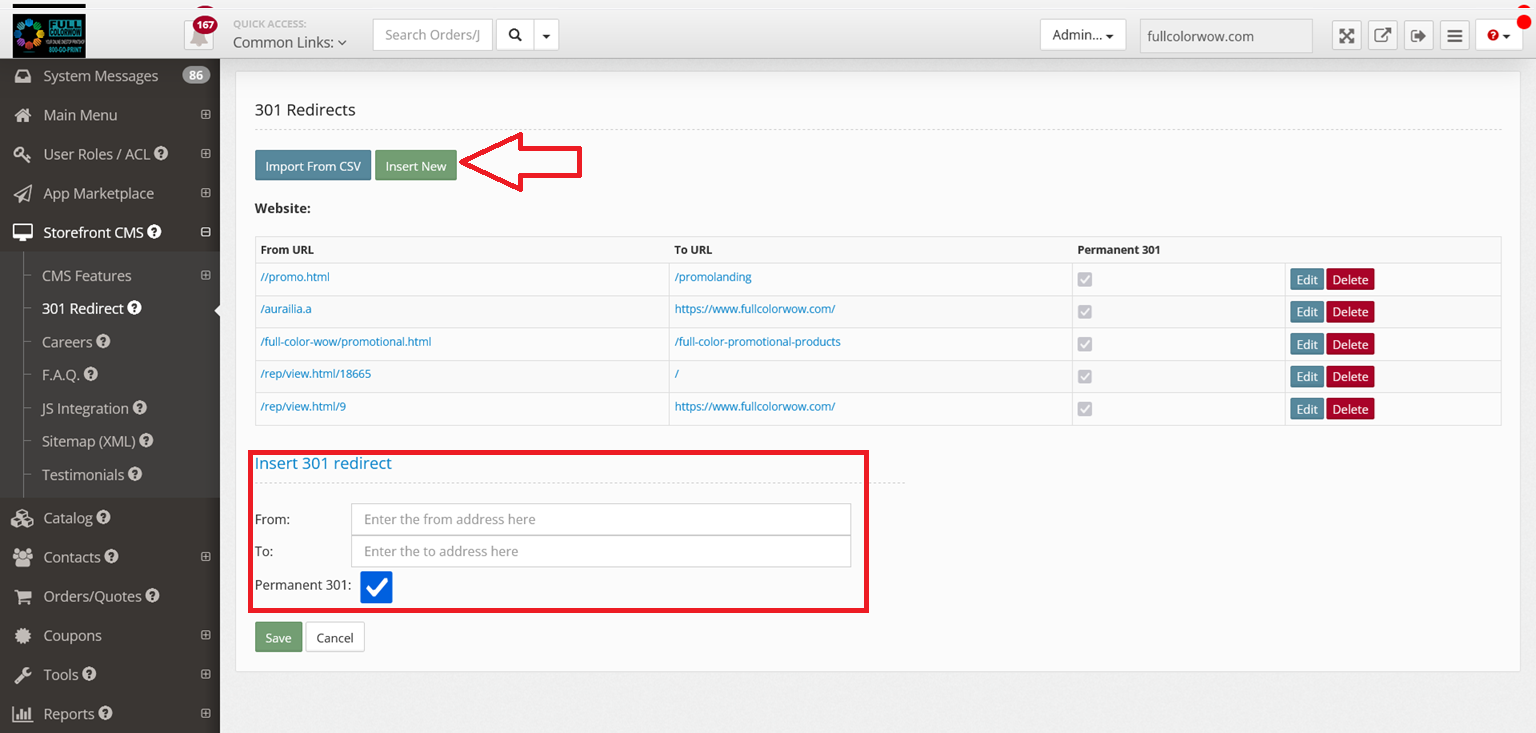
A 301 redirect is used to make sure that search engines and users are sent to the correct page. A 301 status code is used when any page has been permanently moved to another location. Users will now see the new URL as it has replaced the old page.
301 redirect is a fairly simple process within the platform if you wish to change the URL address within your storefront. Please note the steps, in the beginning, are shown to create a new webpage and then proceeding with the 301 redirects.
*Note - Product/Category URL cannot be changed. They are hard coded into the Printer Bridge platform
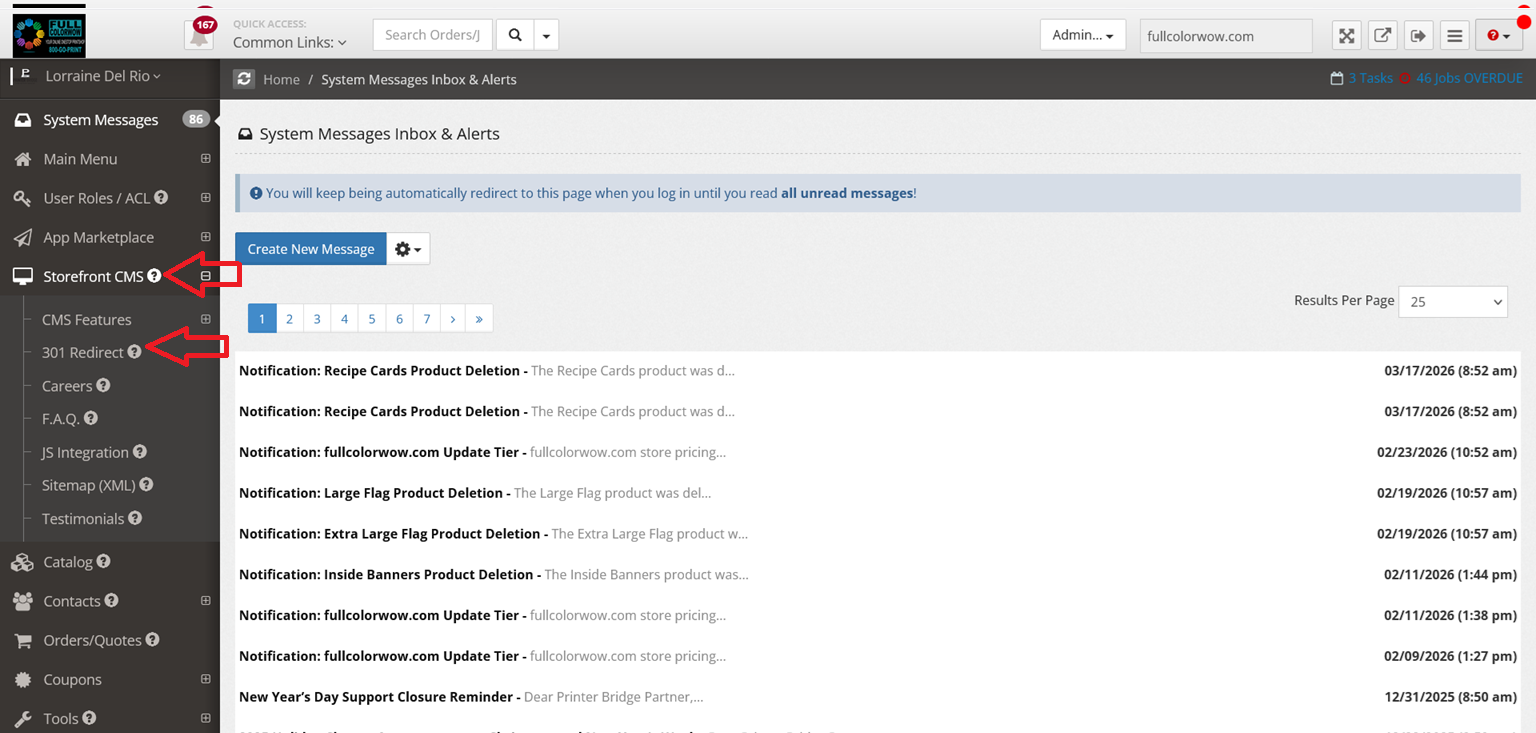
1. Storefront CMS > 301 Redirect
2. Click "Insert New" - Take the existing URL extension and enter the New URL extension.