There are different credit card options shown on the storefront.
To remove the logos off of the checkout page you will use the CSS below:
"Example to remove Discover Logo
#discover, #discover-big{display:none !important;}"
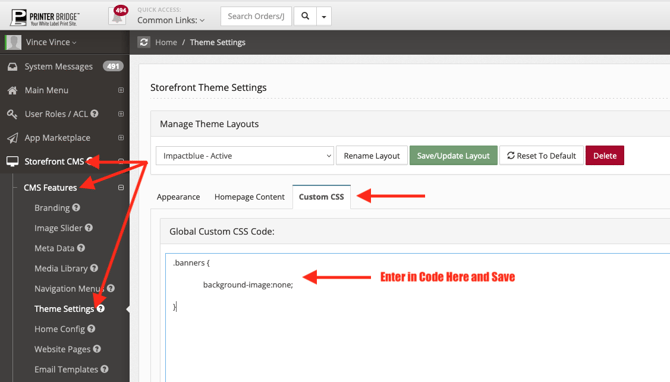
Here's how to apply the code:
- Login to your admin
- Go to Storefront CMS
- CMS Features
- Theme Settings
- Custom CSS tab
- Copy the code in blue above and paste it at the top or bottom of the "Global Custom CSS Code" box.
- Save/Update Layout
- Go to your storefront, refresh, and the 3 default images will be removed