
Step 1: Go to Catalog.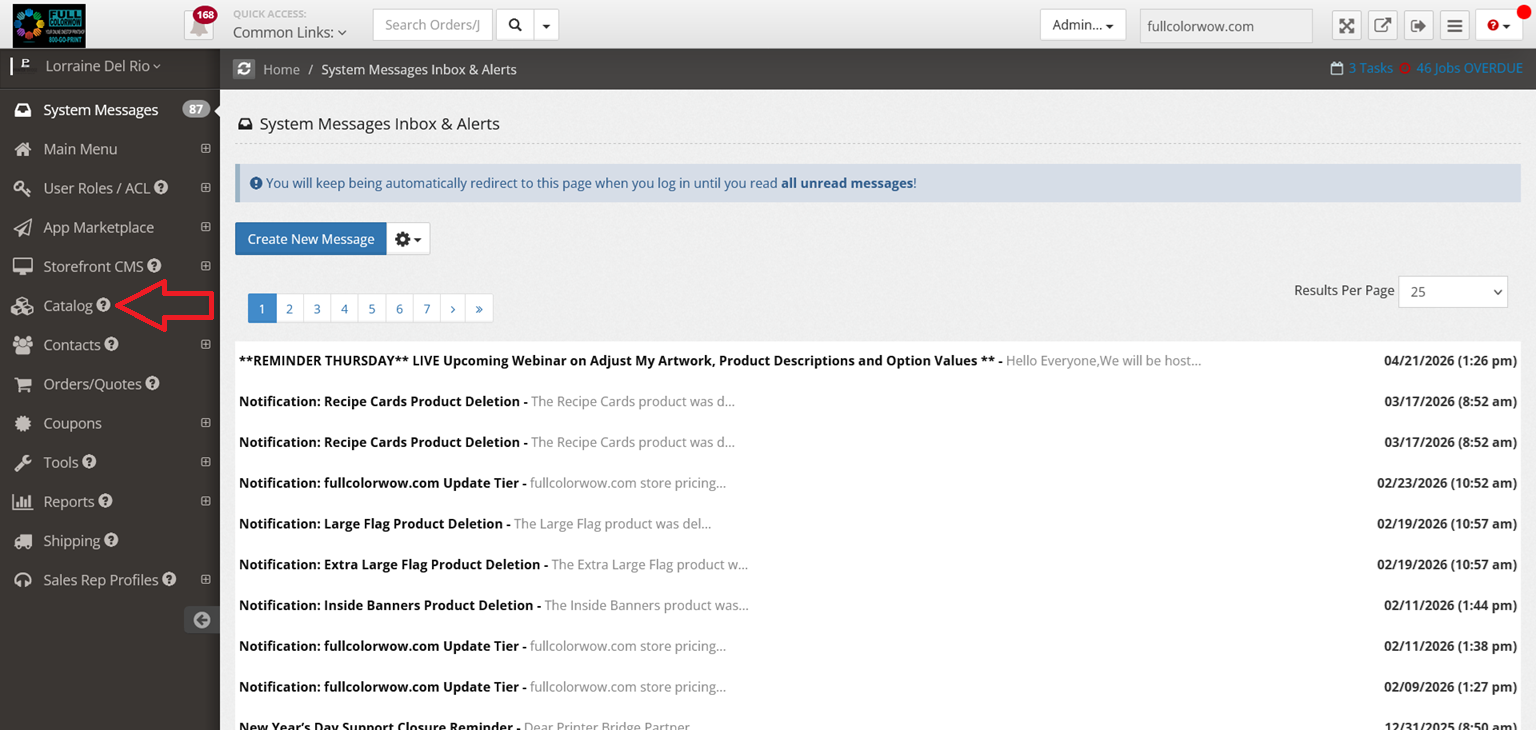
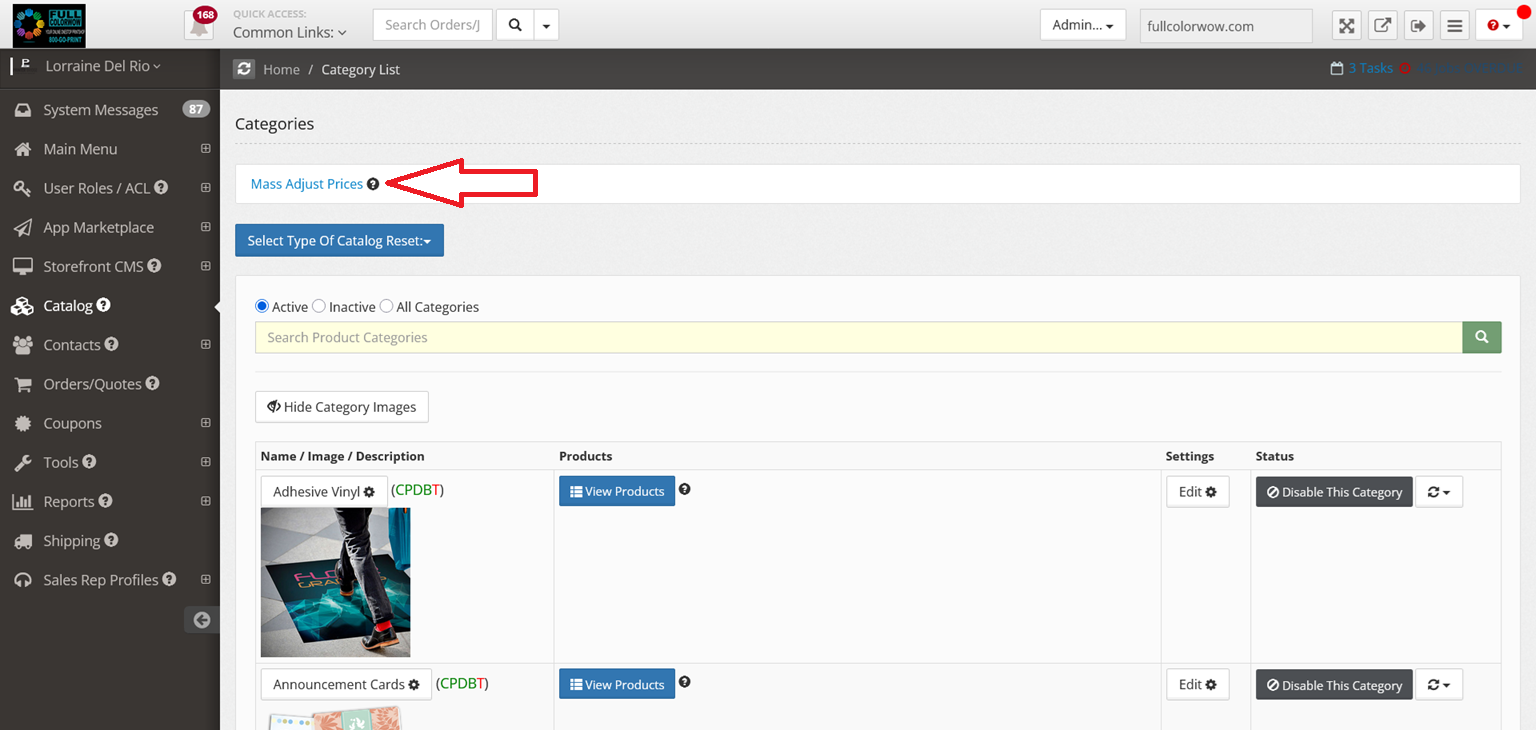
Step 2: Click Mass Adjust Prices.
Step 3: Select your Site.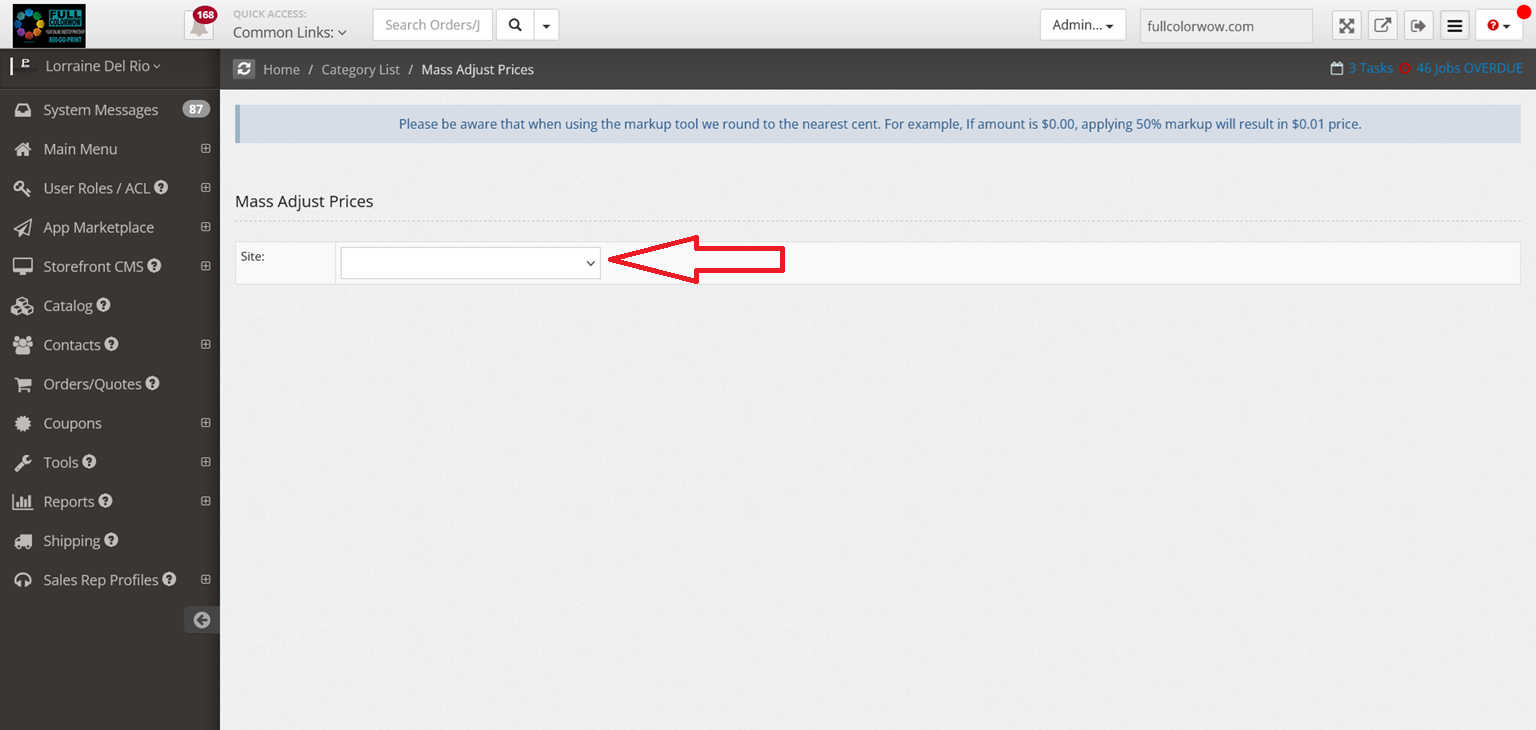
Step 4: Click Manually Set Prices and select level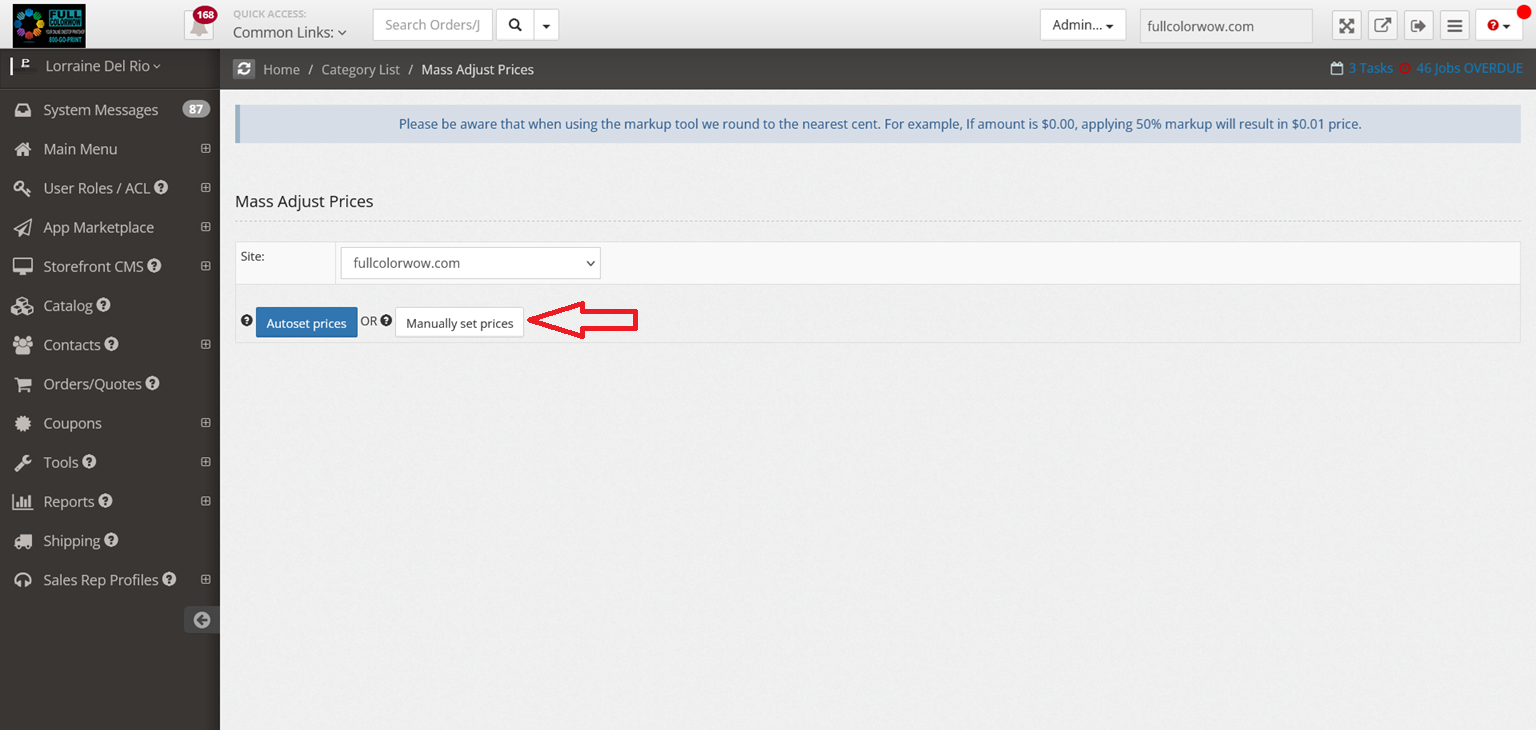
Step 5: Choose Increase by Specific Amount and select Pricing Tiers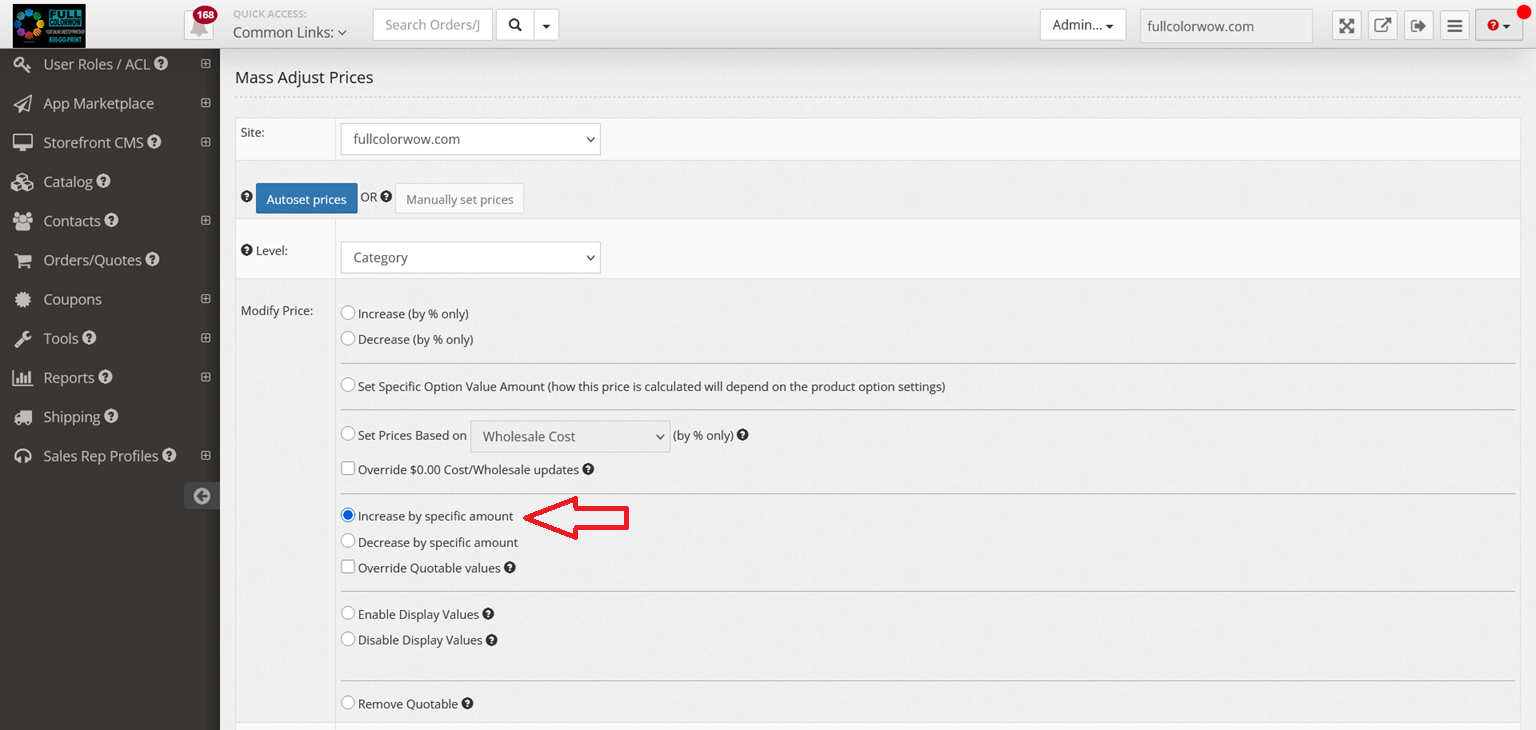
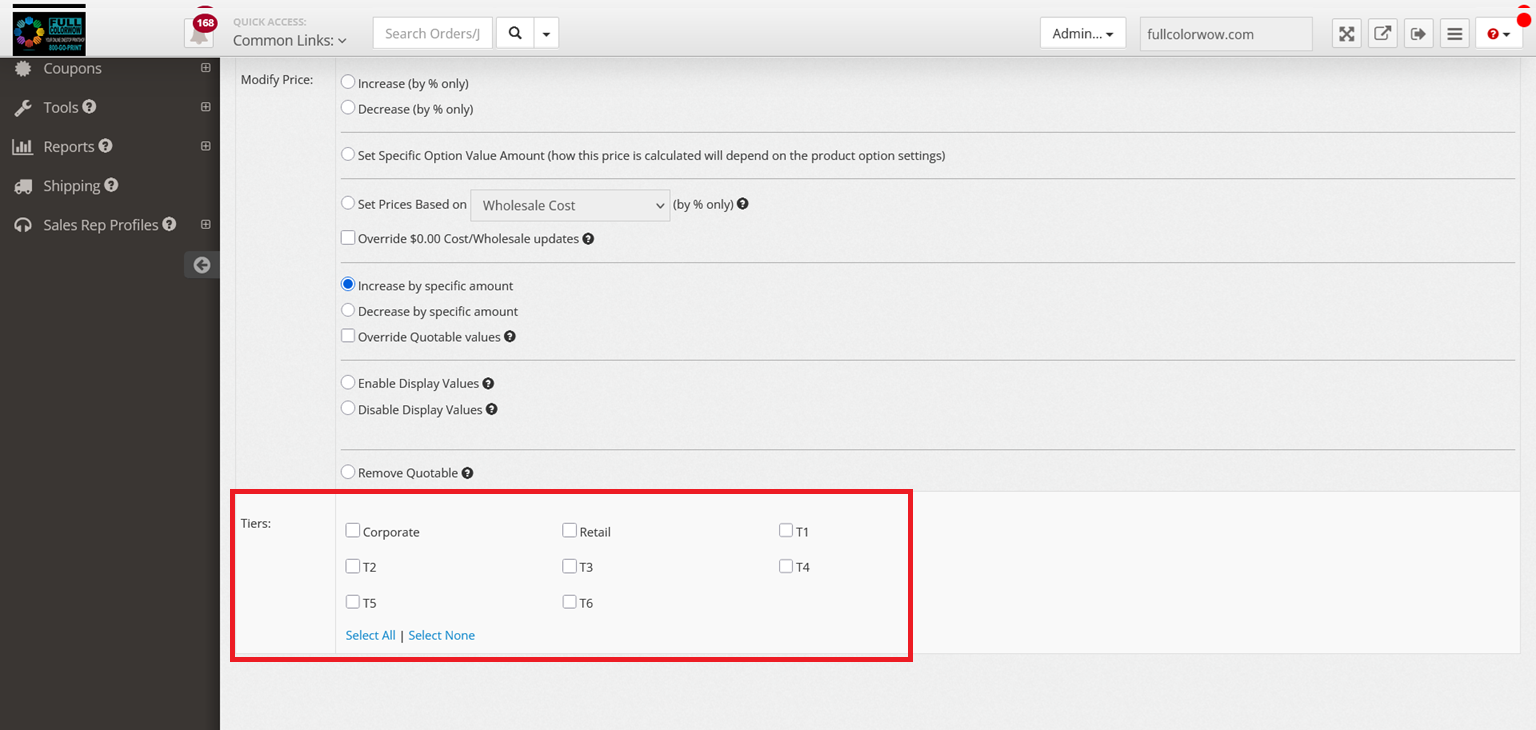
Step 6: Select Category/Product. *Note 4over products have written (TN) next to category name. 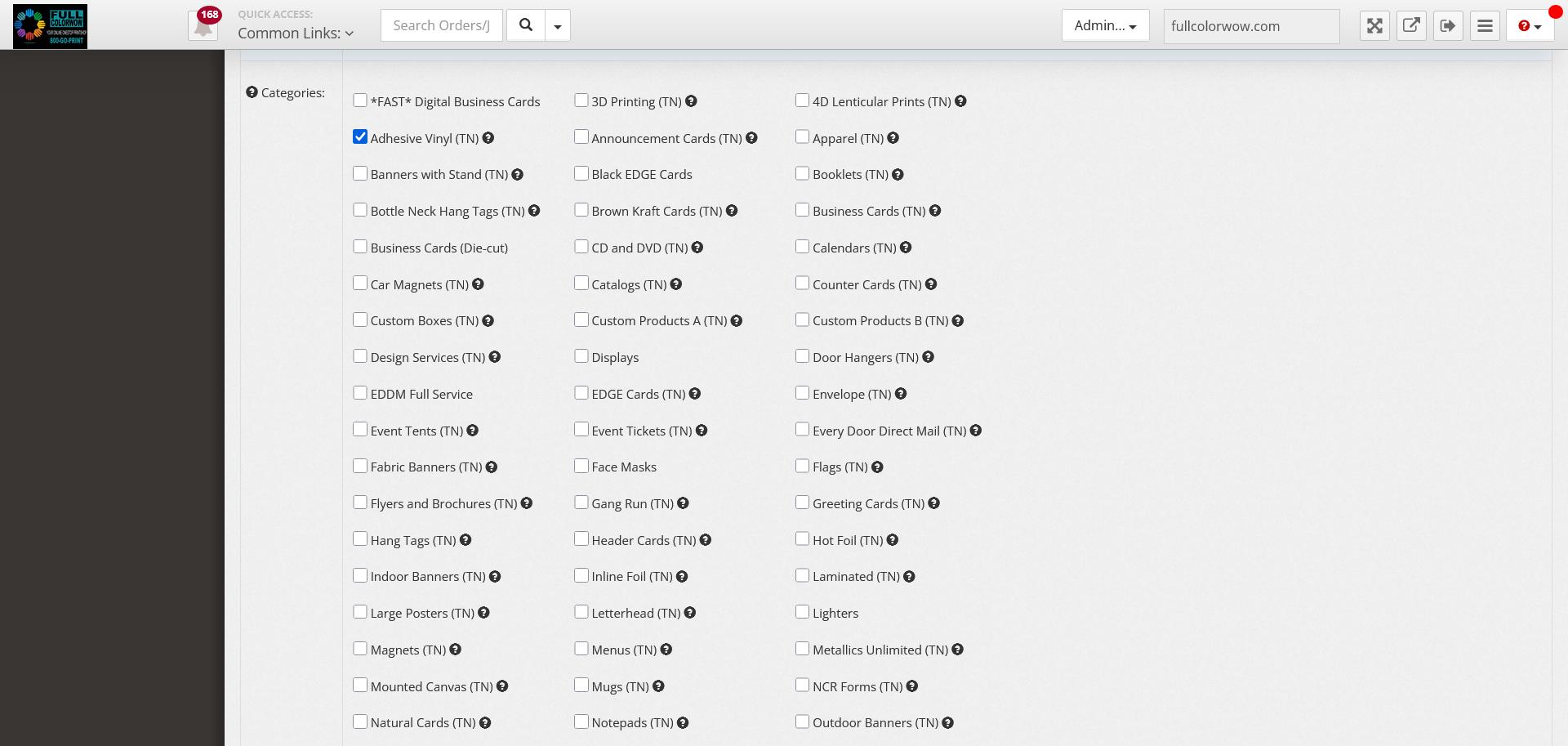
Step 7: Check Specific Values.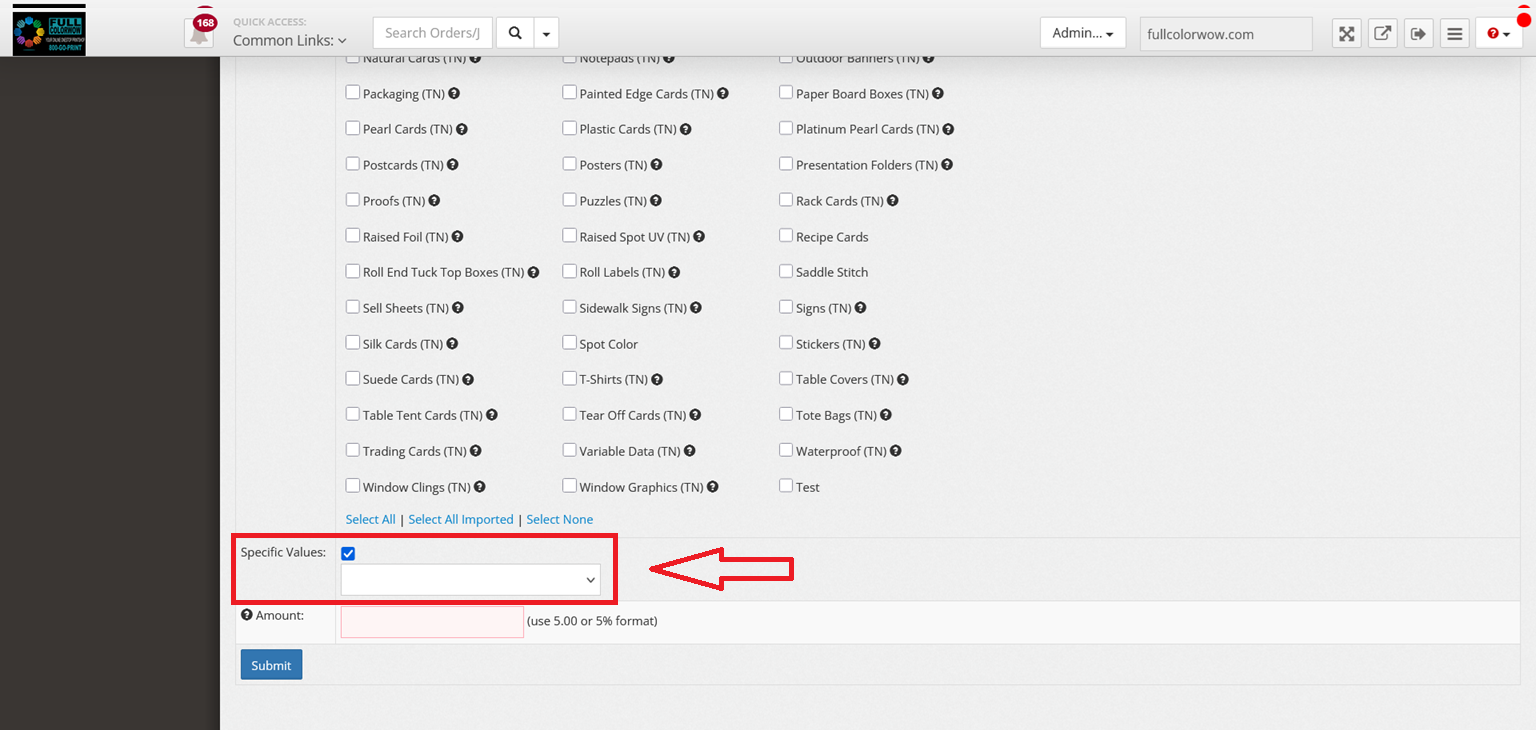
Step 8: Example: Select Adjust My Artwork.
Step 9: Example: Choose Single-Sided Design (if needed).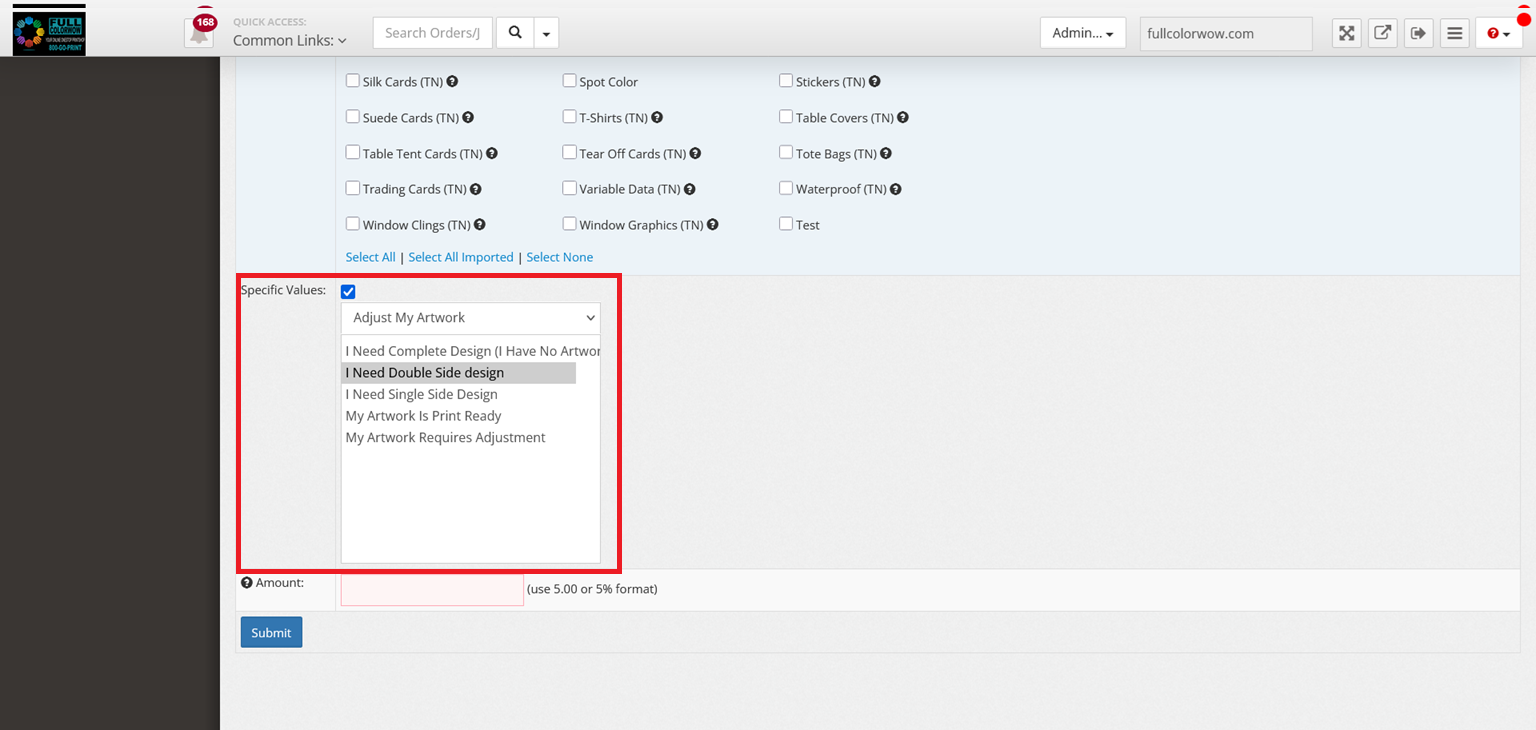
Step 10: Enter the dollar amount you want to add as your markup.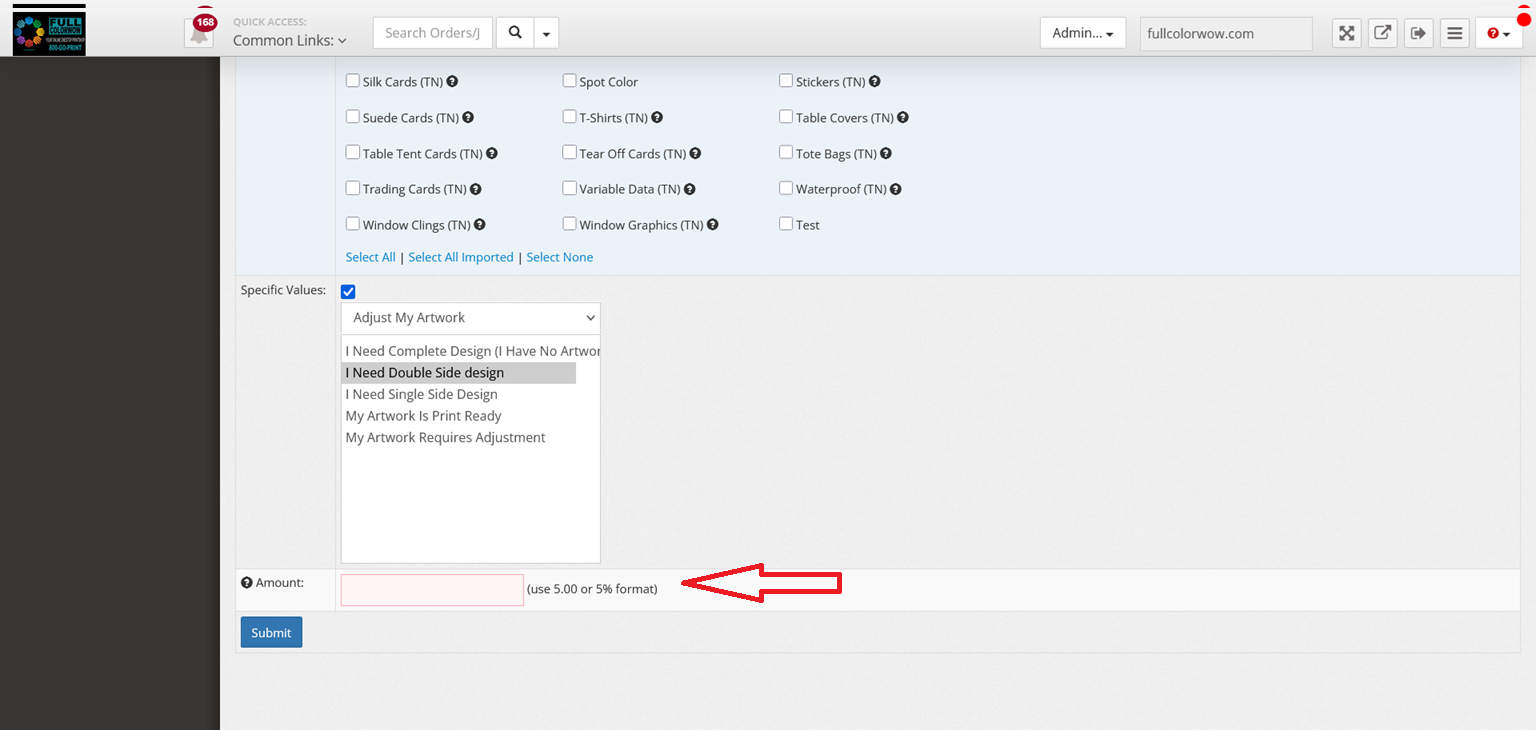
Step 11: Click Submit.