
What are user roles (ACL roles)?
User roles, also known as ACL (Access Control List) roles, define what areas of the admin panel an employee can access. Assigning roles ensures that users only interact with the parts of the website relevant to their responsibilities.
Where do I find the user roles section in the admin?
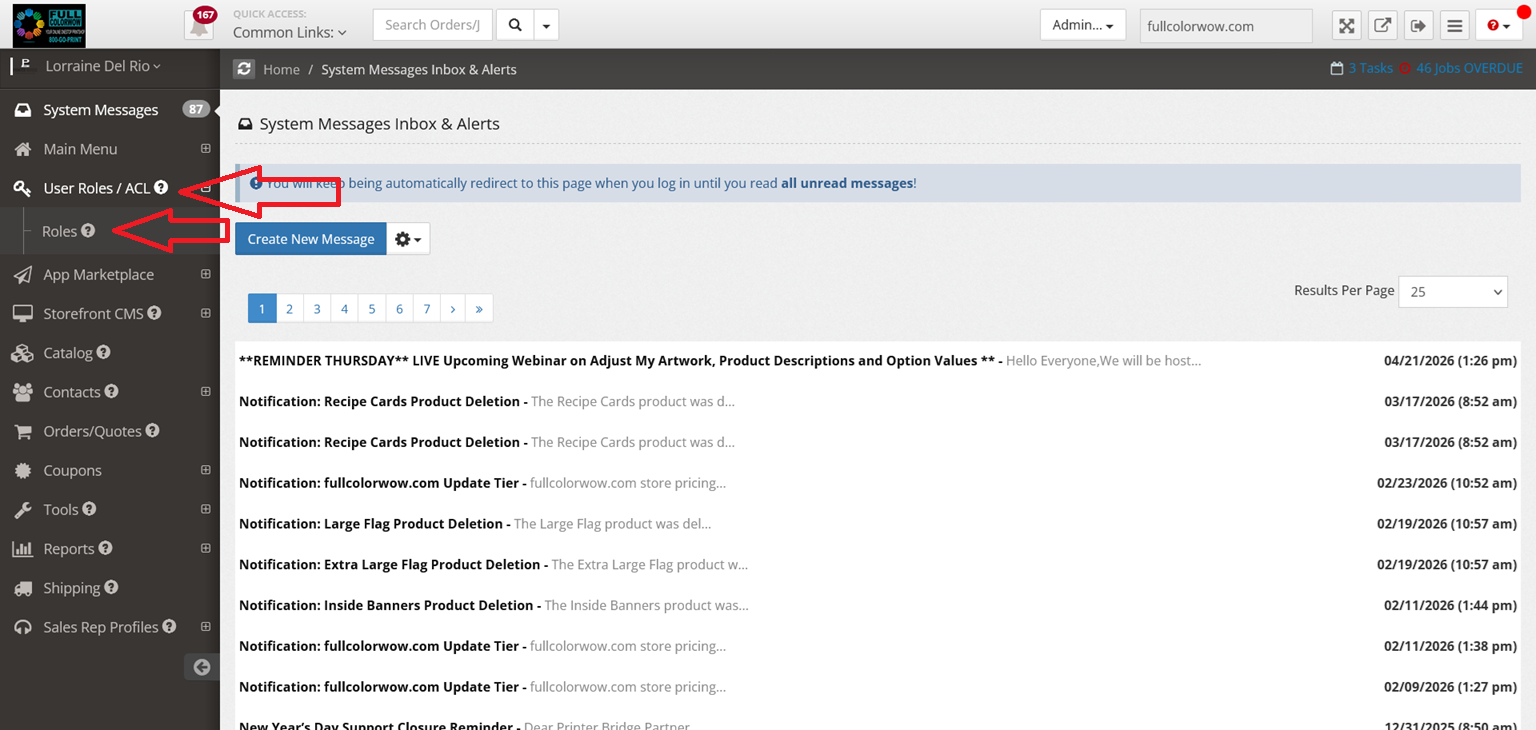
After logging into the admin panel, navigate to the left-hand menu and select:
User Roles (ACL) → Roles
Why is assigning the correct role important?
Each role limits access to specific parts of the system. Assigning the wrong role could allow users to access or modify areas they shouldn’t, potentially affecting your website’s functionality or data.
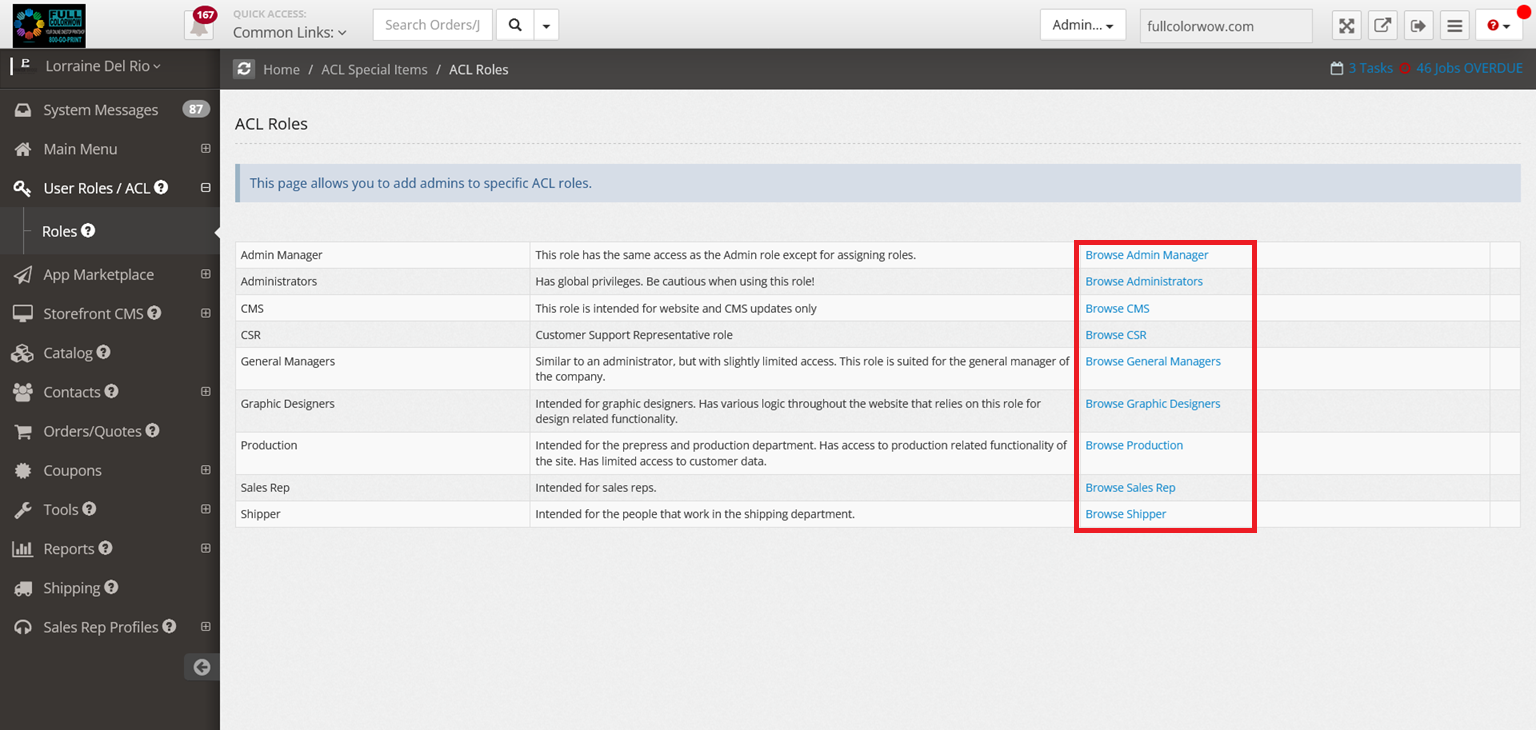
What does the Administrator role do?
The Administrator role provides full access to all areas of the website. This role is typically assigned to the storefront owner.
What is the CMS role used for?
The CMS (Content Management System) role is ideal for developers or users responsible for customizing and managing website content.
What is the CSR role?
The CSR (Customer Service Representative) role is designed for handling daily operations, such as managing customer interactions and orders.
How is the General Manager role different from Administrator?
The General Manager role is similar to the Administrator role but has slightly limited access to certain areas of the system.
What is the Graphic Designer role for?
The Graphic Designer role is intended for employees who handle design-related tasks, especially if your website offers design services.
What does the Production role include?
The Production role is for pre-press and production staff. Users in this role can access only production-related features.
What can a Sales Rep do in the system?
Users with the Sales Rep role can:
- View their performance stats
- Track customers they’ve brought in
- Review orders placed by those customers
What is the Shipper role?
The Shipper role is assigned to employees responsible for shipping operations, giving them access to shipping-related functionality.
How do I assign a user to a role?
- Have the employee register on your website.
- Go to the admin panel → User Roles → Roles.
- Select the desired role.
- Click “Add User to Role.”
- Search for the registered user.
- Approve and assign them to the role.
Can I assign a role to someone who hasn’t registered yet?
No. The user must first create an account on your website before you can assign them to a role.
How do I remove a user from a role?
- Go to the specific role in the User Roles section.
- Locate the user.
- Remove them from the role.
The system may take a moment to update the change.
What happens if an employee leaves the company?
You can remove them from their assigned role in the admin panel. Once removed, they will no longer have access associated with that role.