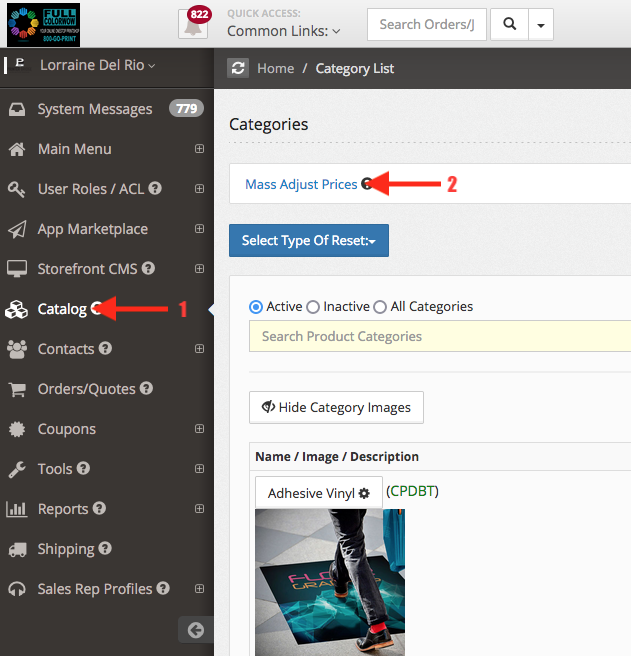
- Log in to your administration panel admin.yourwebsiteaddress.com
- Catalog
- Mass adjust prices ( you will get redirected to another page)
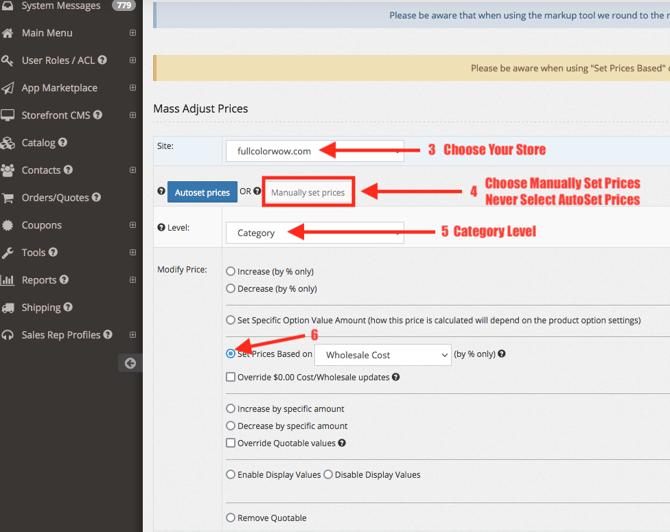
- Site: Select your website (yourwebsiteaddress.com)
- Manually set prices
- Level: Category
- Modify Price: Set prices based on Wholesale Cost
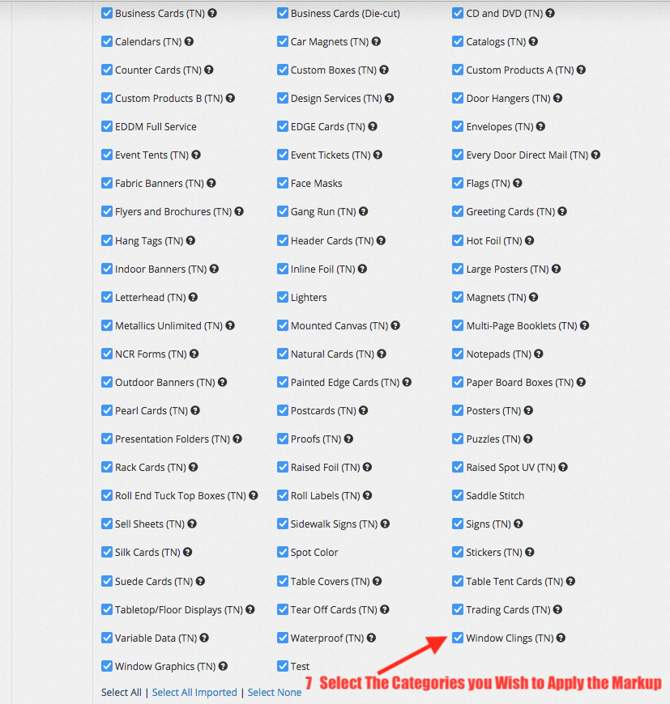
- Categories: Select all for global markup (for all categories)/You may markup a single category. Be sure to select that category only
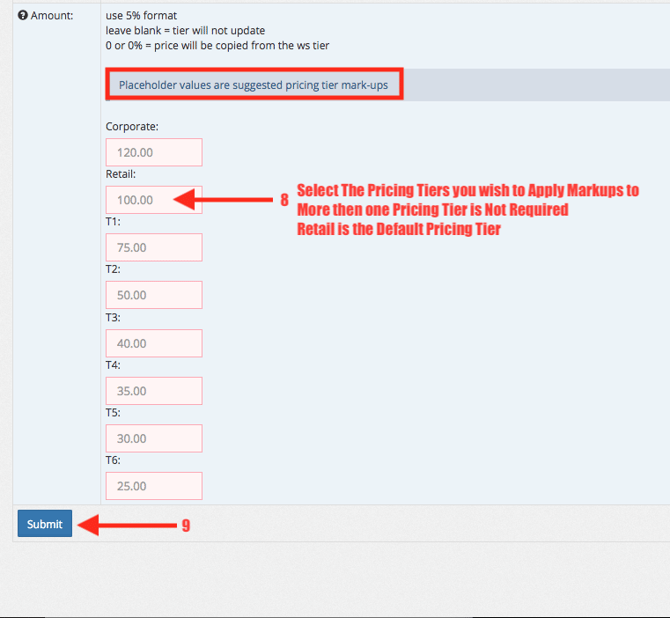
- Scroll down to Amount and enter mark up levels (Percentage: example: 100% is 100.00)
- Submit
Step-By-Step Guide To Disable Categories:
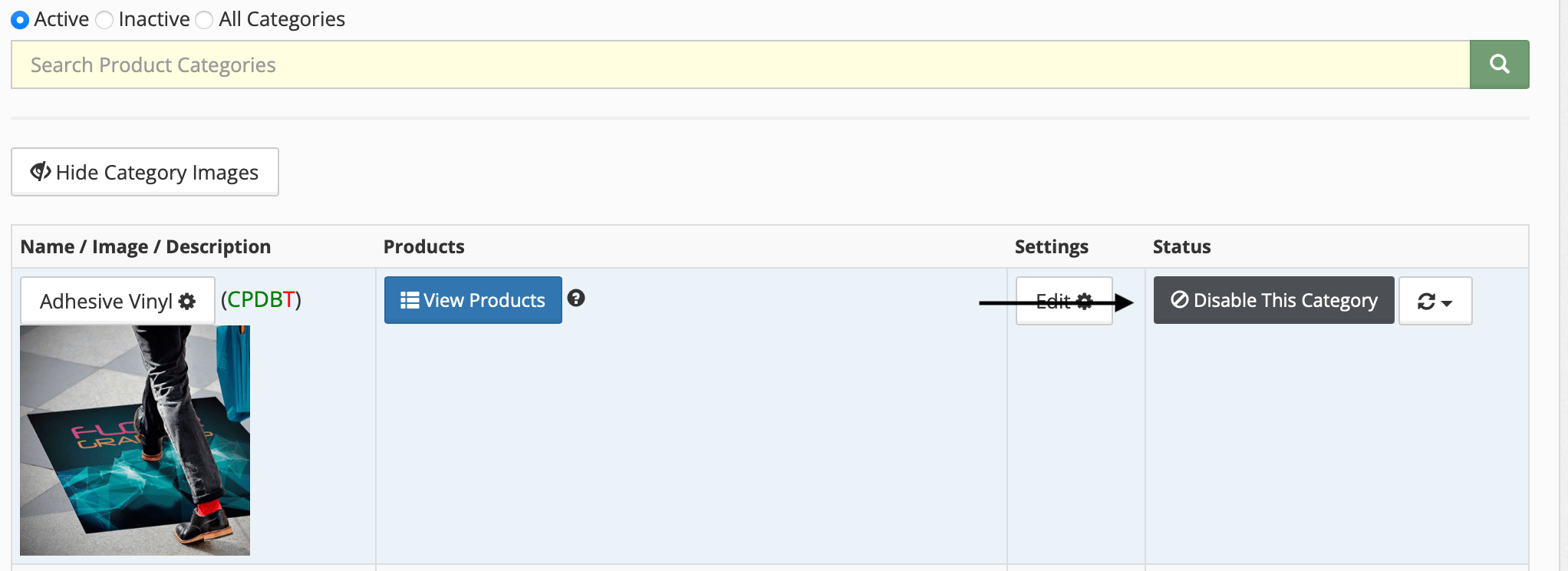
1. Click Catalog
2. Find the Category you would like to disable
3. Click Disable This Category
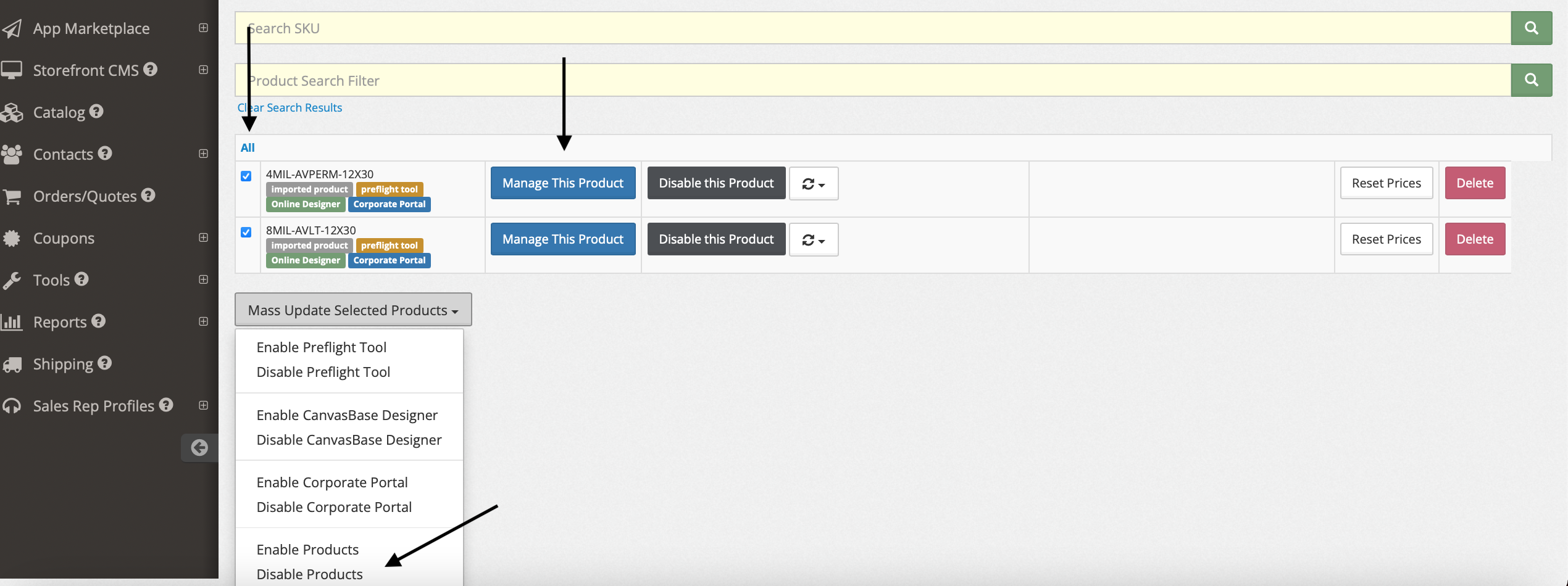
Step-By-Step Guide To Disable Products:
1. Click Catalog
2. Find the Product you want to disable within the Category
3. Click View Products
4. Find the product you want to disable, click Disable this Product