
How do I update my store’s email, phone number, and shipping information?
Follow the steps below to ensure your store details are accurate and up to date.
Updating Your Store Email
-
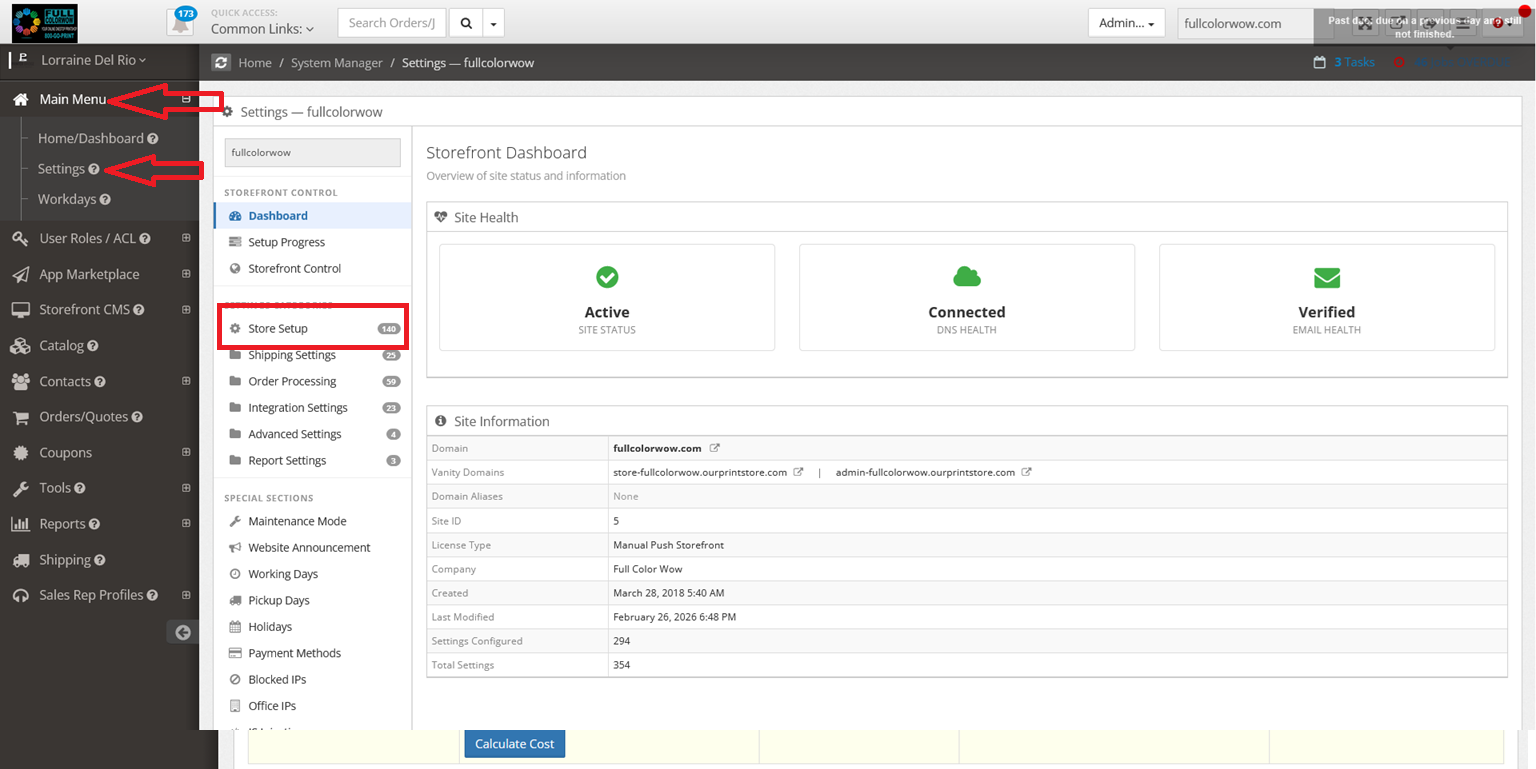
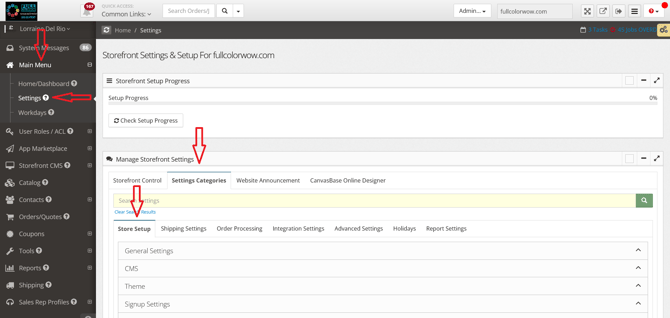
Go to Main Menu → Settings → Settings Categories
-
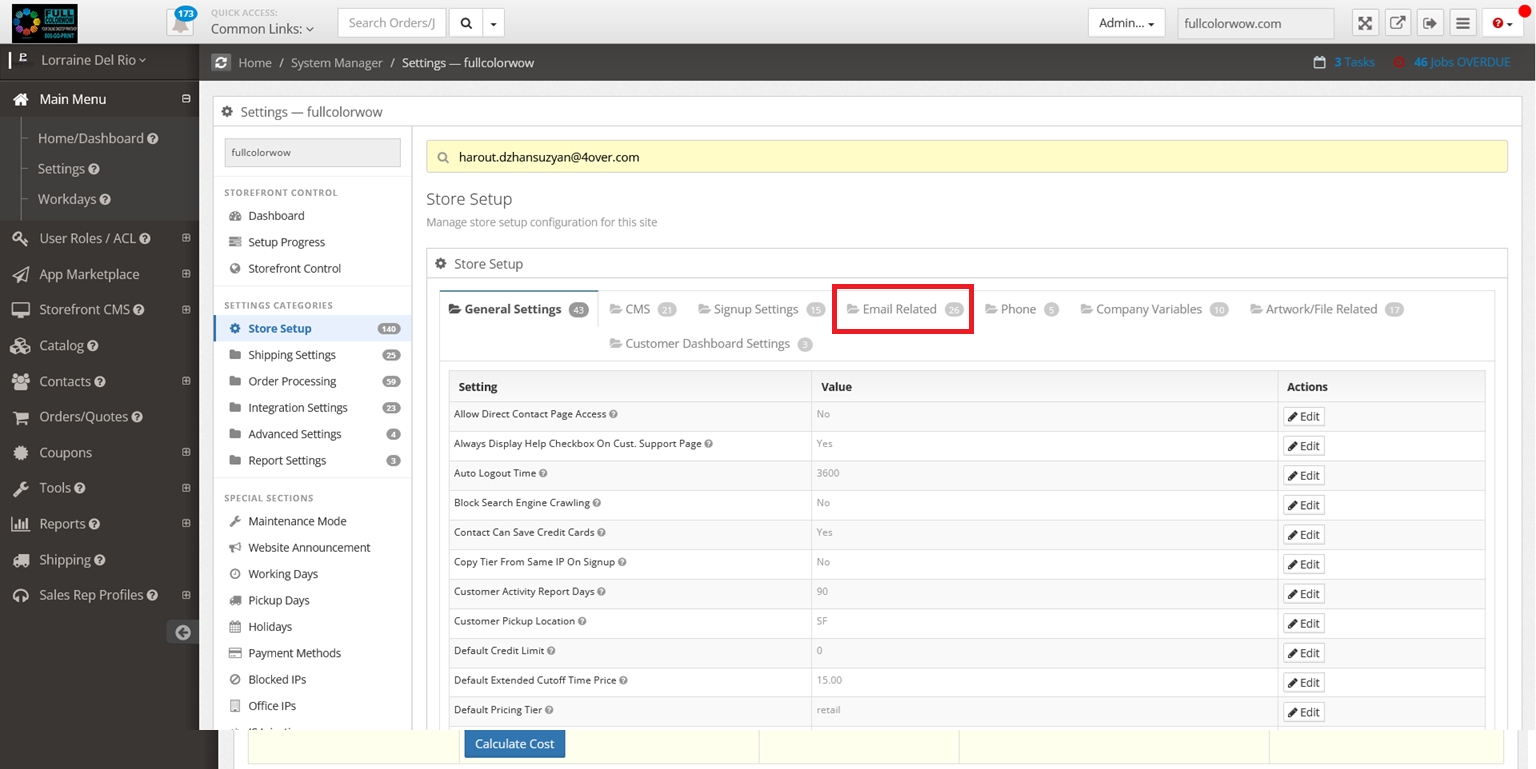
Select Store Setup → Email Related
Important Notes:
-
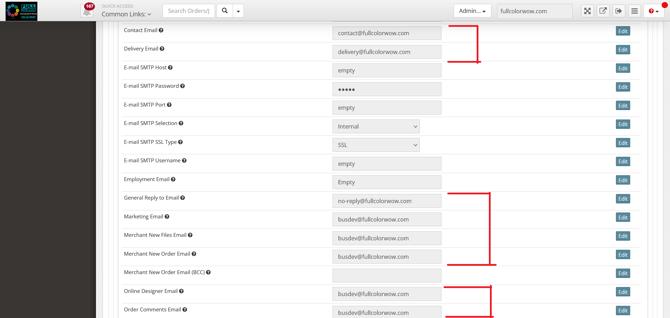
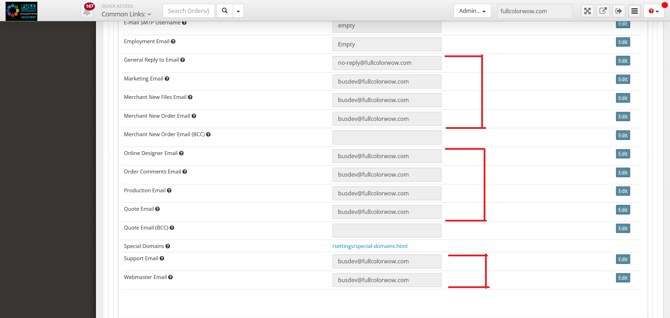
You must update all email fields displayed on this page.
-
The email address must match your store’s domain.
-
Example: If your domain is
fullcolorwow.com, your email should be something like:-
info@fullcolorwow.com -
sales@fullcolorwow.com
-
-
-
Using a domain-matching email ensures professional communication and proper system functionality.
Updating Your Phone Number
-
Go to Main Menu → Settings → Settings Categories
-
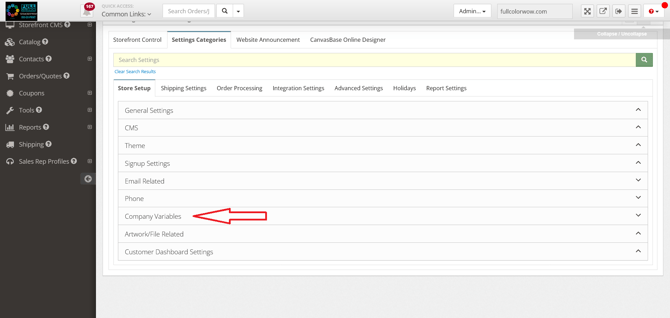
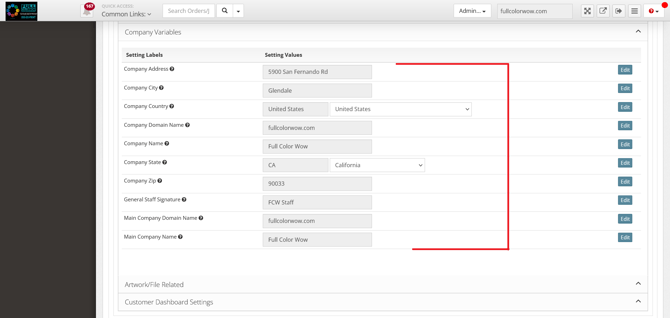
Select Company Variables
-
Update your phone number as needed.
Updating Your Shipping Origin Address
-
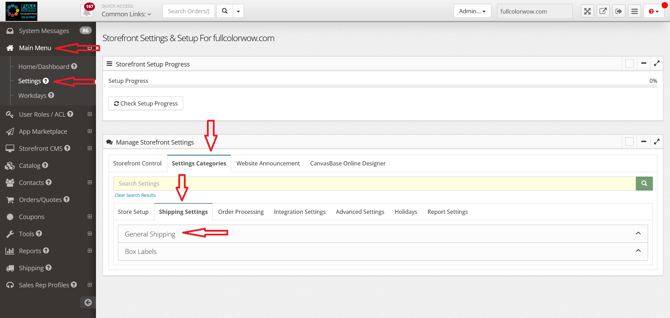
Go to Main Menu → Settings → Settings Categories
-
Select Shipping Settings → General Categories
Important Note:
Make sure this information is accurate. When a customer places an order through your storefront, the shipping details will display your company’s address — not 4over’s.
Setting Up Custom Shipping
If you would like to configure custom shipping options, you can do so within:
Shipping Settings → General Categories
Be sure to review all settings carefully to ensure they align with your preferred shipping methods and rates.