
Here’s a simplified, easy-to-follow FAQ version for customers:
SEO FAQ – Quick Guide
1. What is SEO?
SEO (Search Engine Optimization) helps customers find your printing business online through search engines like Google.
2. Why does SEO matter?
When your pages use the right keywords (like “business card printing in [Your City]”), customers searching for those services can find you more easily — leading to more orders.
3. What should each page include?
Every page should have:
-
A unique page title
-
A meta description
-
Relevant keywords
-
Your city and company name
Each page should focus on one main service (example: postcards, flyers, banners).
4. What makes a good page title?
✅ Clear and specific
✅ Includes your service
✅ Includes your location
Example:
“Affordable Business Card Printing in [Your City]”
5. What makes a good description?
A strong description:
-
Mentions your business name
-
Lists the specific service
-
Includes your location
-
Highlights value (low cost, fast turnaround)
-
Ends with a call to action (Call today, Get a quote, etc.)
6. Where do I update SEO on my website?
In your Printer Bridge account:
-
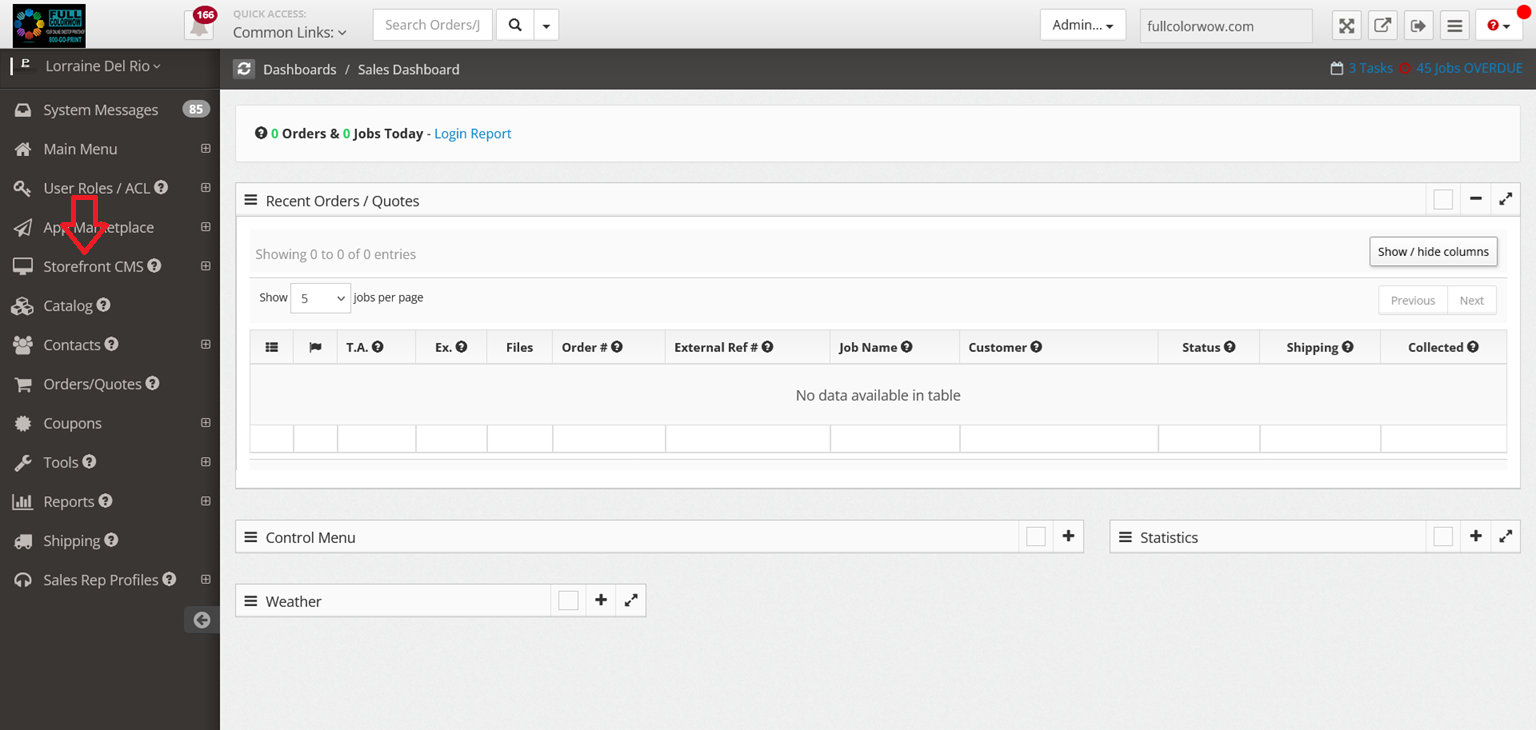
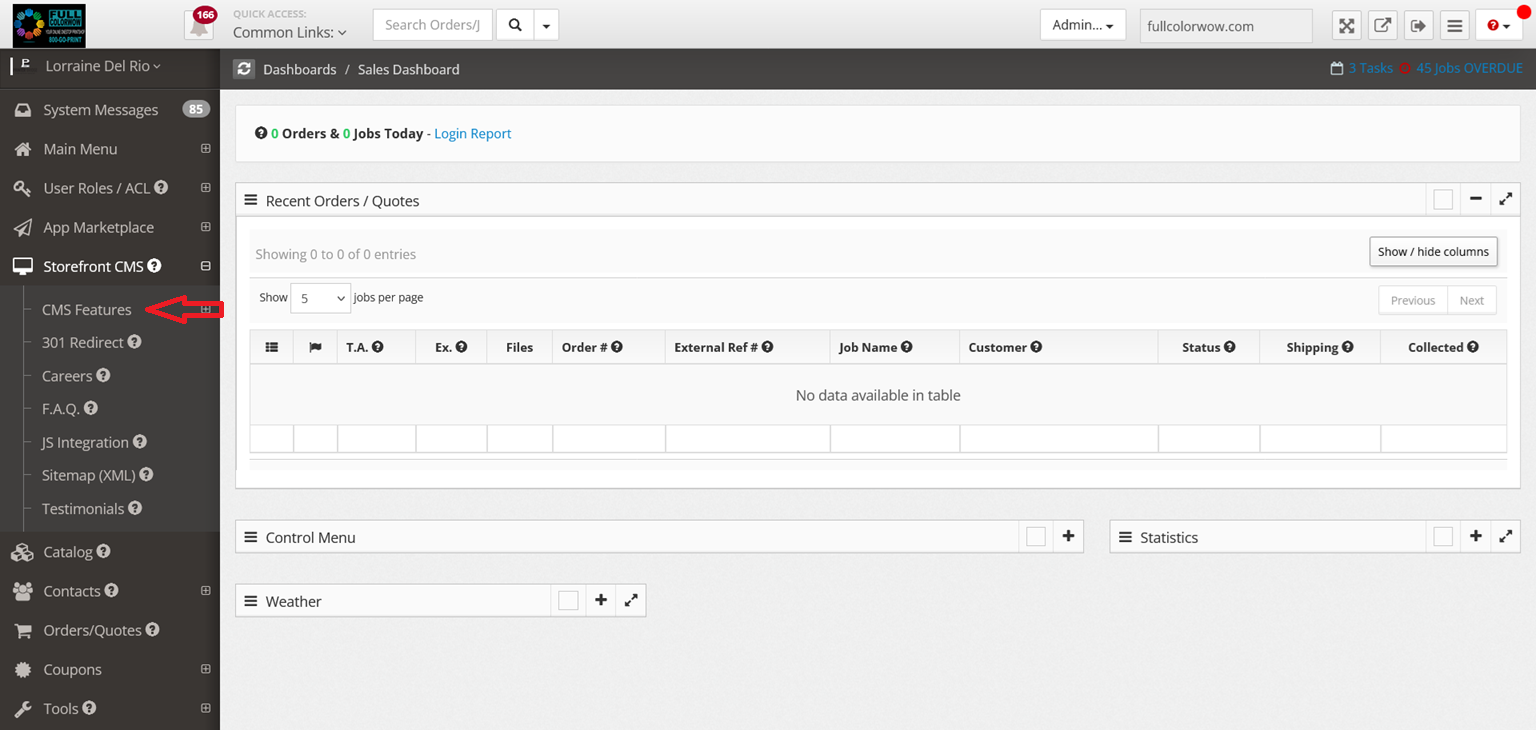
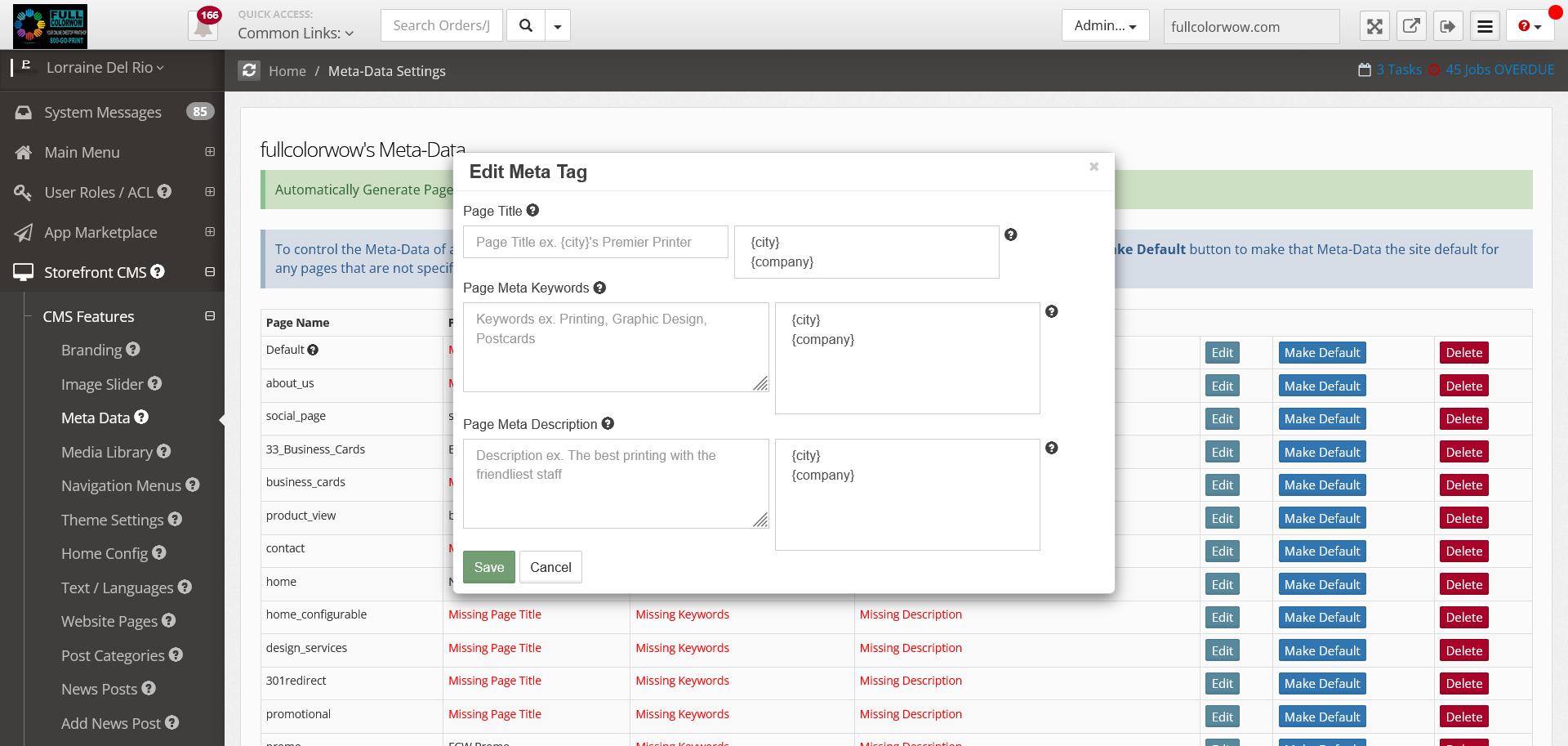
Go to Storefront CMS
-
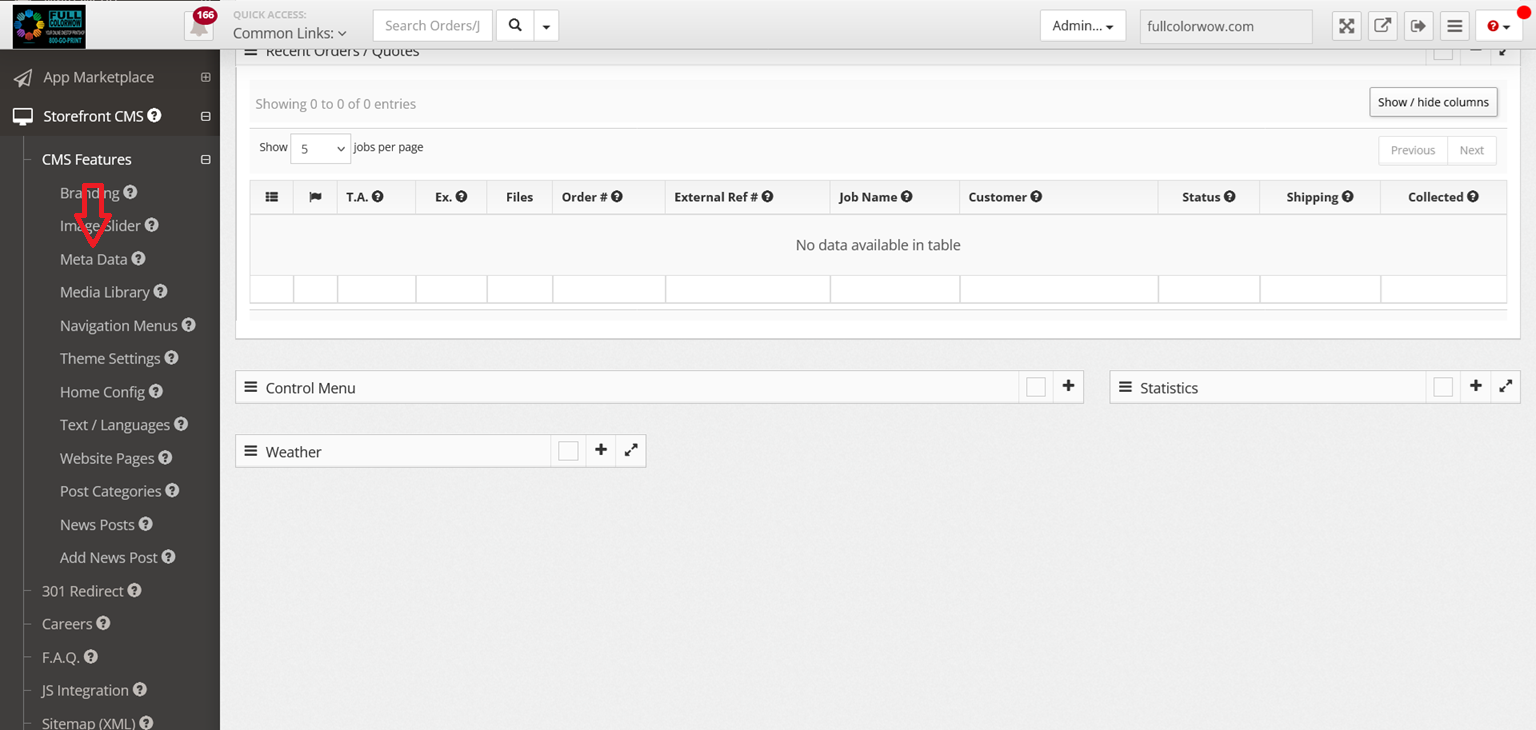
Click Metadata or Website Pages
-
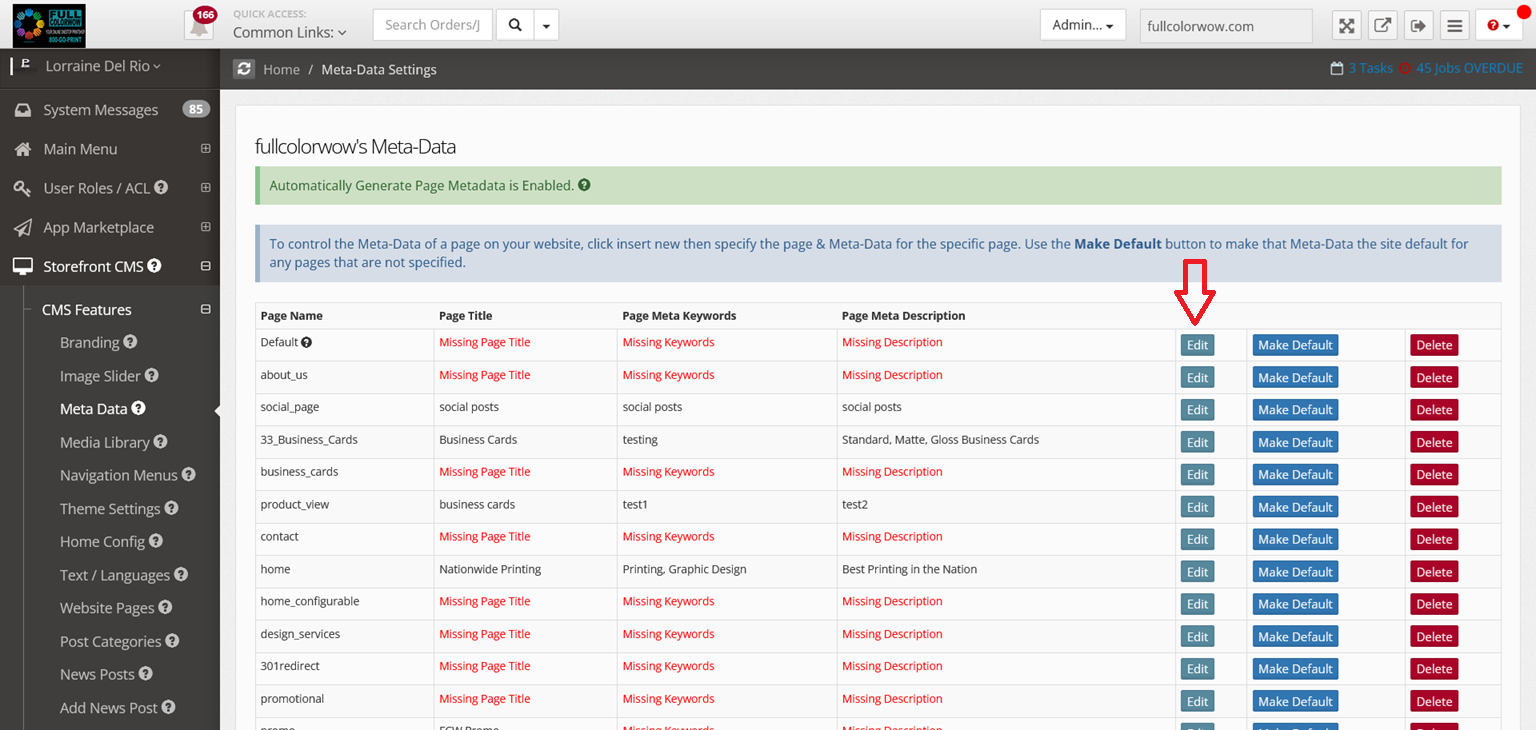
Edit the page
-
Add your title, keywords, and description
7. Do product categories need SEO too?
Yes. Each product category (like business cards or flyers) should have its own unique title and description.
Go to:
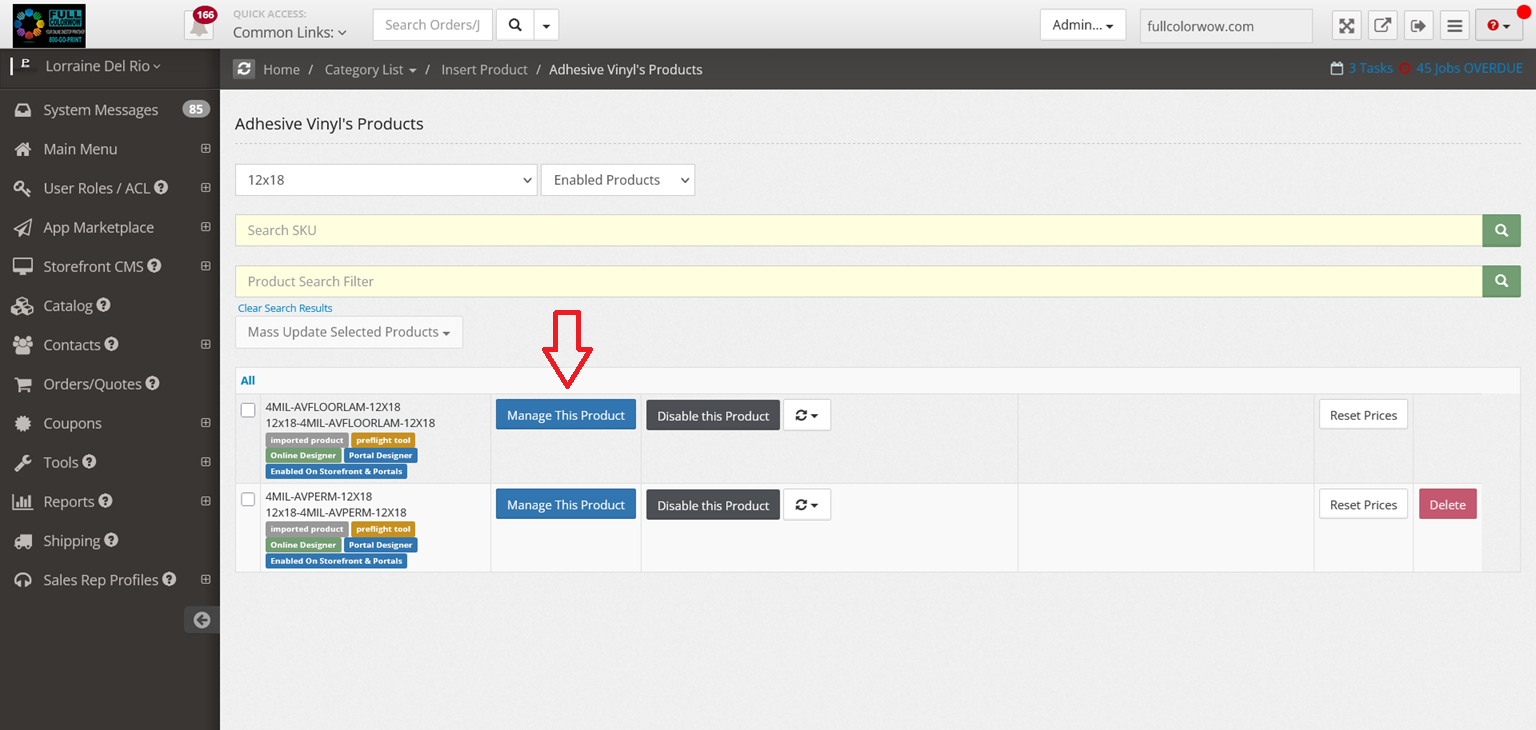
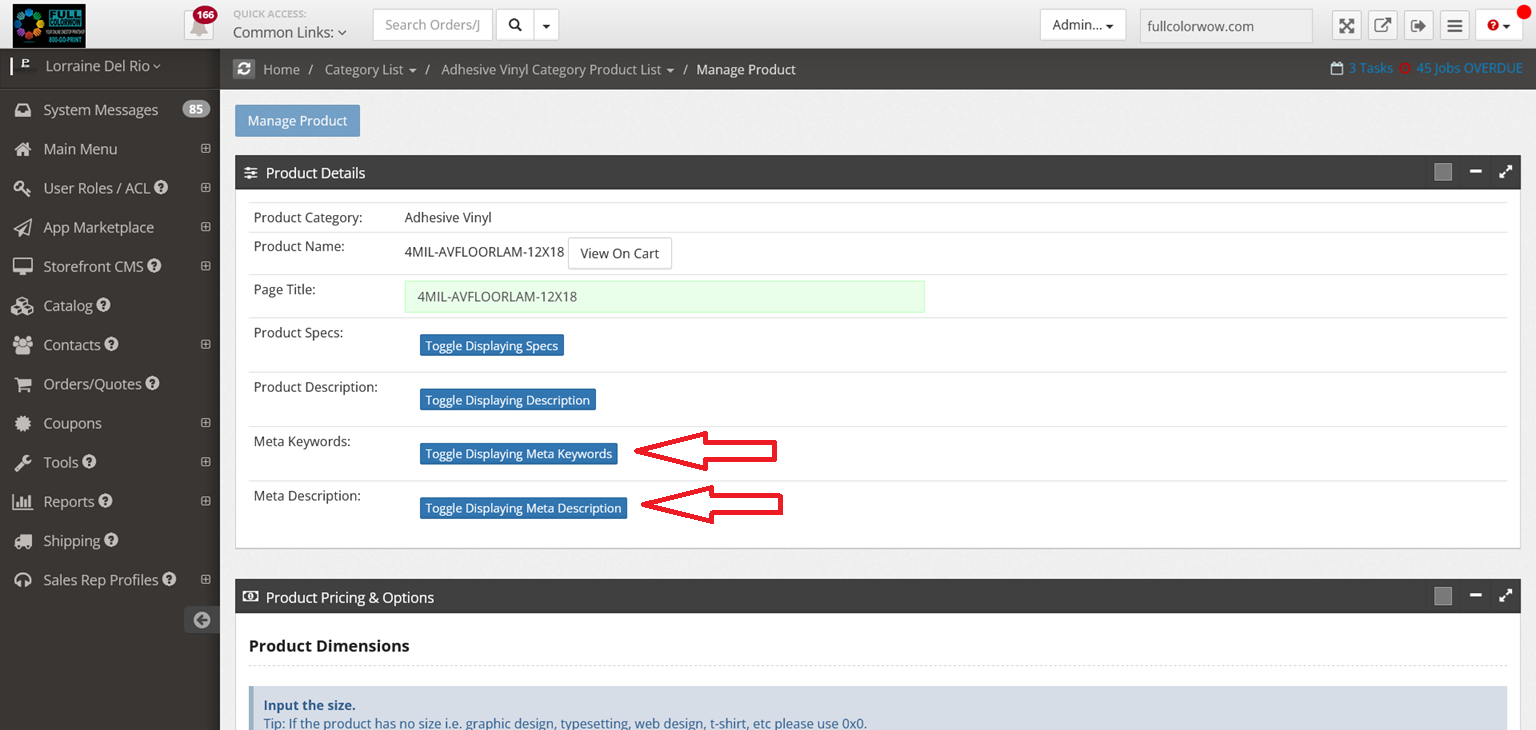
Catalog → Select Category → Manage Product → Add SEO details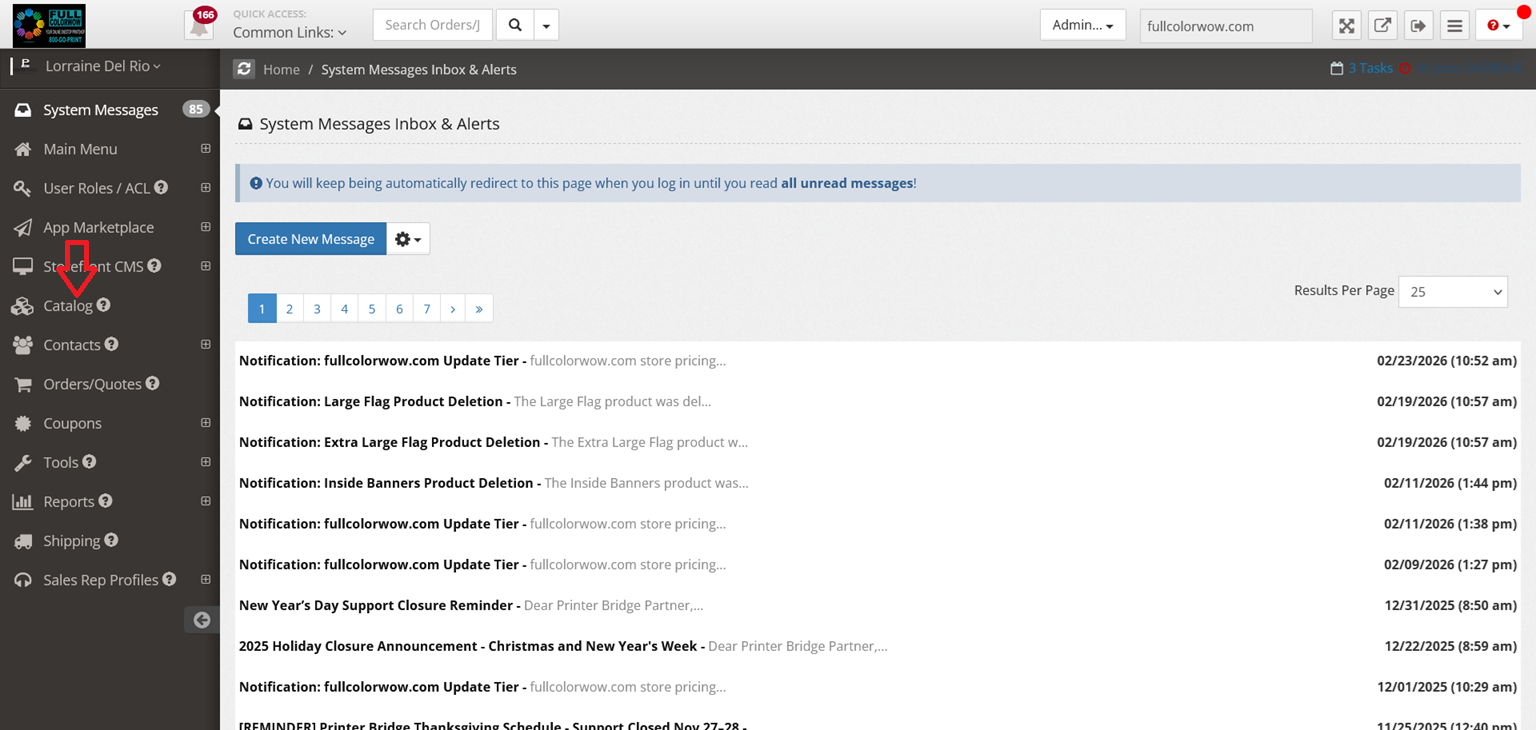
8. What’s the main goal?
Make it easy for customers to find your exact printing services when they search online.
Better SEO = More visibility = More orders