
*Please note this is only if you know how to adjust DNS. If not, you can submit a support ticket and we can do it for you.
Step-by-step guide
- Log in to your administration panel admin.yourwebsiteaddress.com
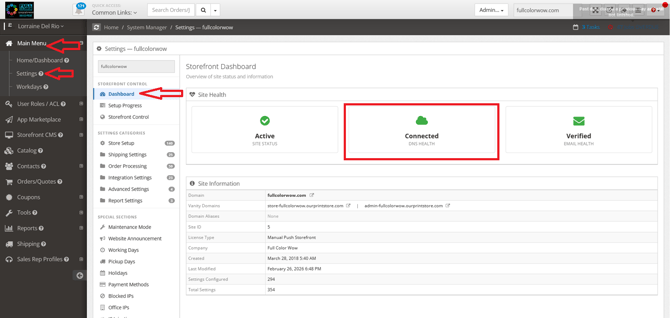
- Click "Main Menu" > Settings > Click the second box "DNS Health"
Supported Record Types
- A
- CNAME
- MX
- AAAA
- TXT
- PTR
- SRV
- SPF
- NAPTR
- NS
- Once a record is edited or a new record is added you can click the save button or the Save All button to commit your changes
The Repair DNS Records button is intended as a last resort. Clicking that button will reset your dns zone back to the factory default settings. All custom records will be removed!