
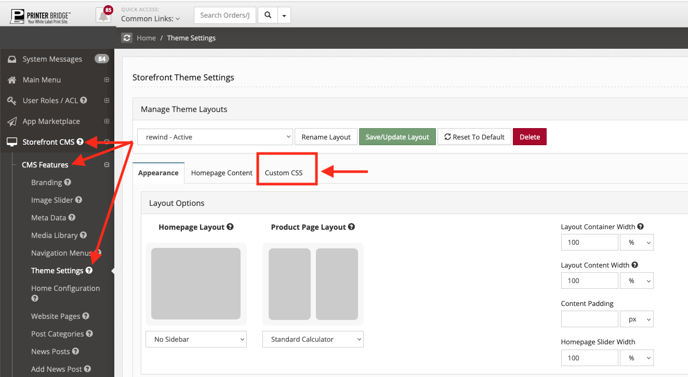
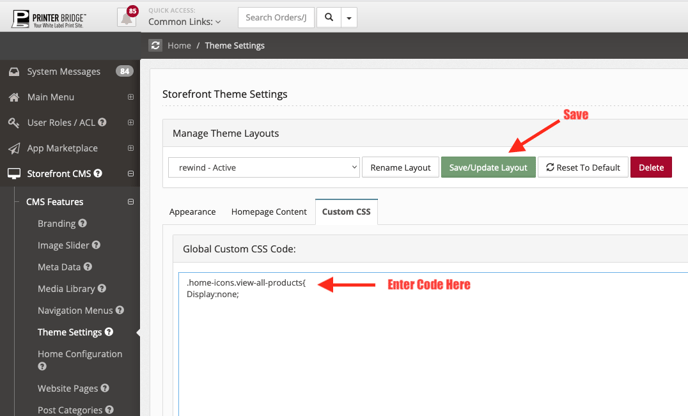
Insert this code into the Custom CSS of your Theme settings:
.home-icons.view-all-products{
Display:none;
Please note that the HTML and CSS that you see in this section may not affect your storefront. This should be seen as a general template to assist you with customization. It would depend on the changes that already been made within the admin panel.