Step-by-step guide
- Login to your administration panel admin.yourwebsiteaddress.com
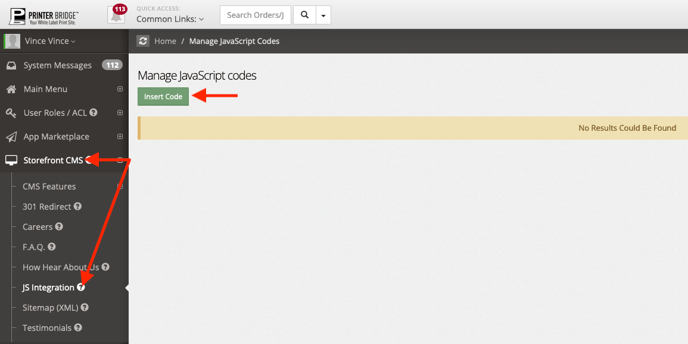
- Click "Storefront CMS" on the left hand navigation
- Click "JS Integration"
- Click "Insert Code" to add code
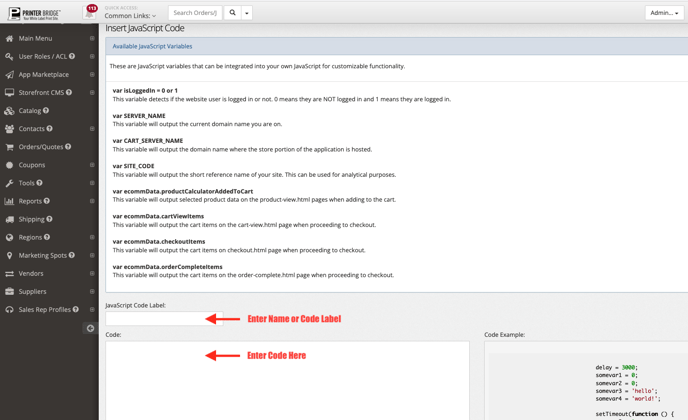
- Inset your "JavaScript Code Label"
- Insert your JS "Code"
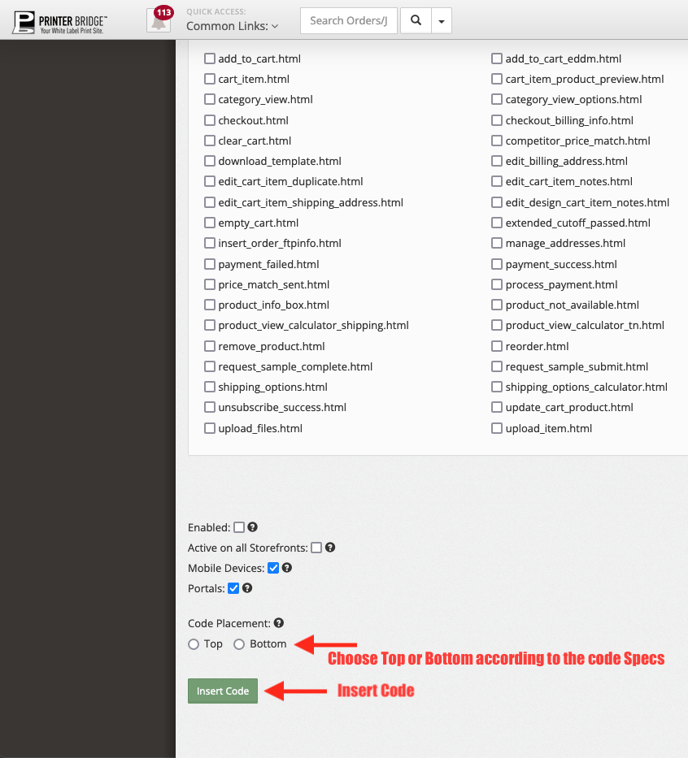
- Select your individual page(s) you want to apply code OR do not select any pages and your code will be applied to ALL pages
- Scroll to the bottom, click "Enabled"
- Check off boxes "Mobile Devices" & "Portals" if applicable to enabled or disabled for mobile devices or portals.
- Select Code Placement, "Top" or "Bottom"
- Click Insert Code