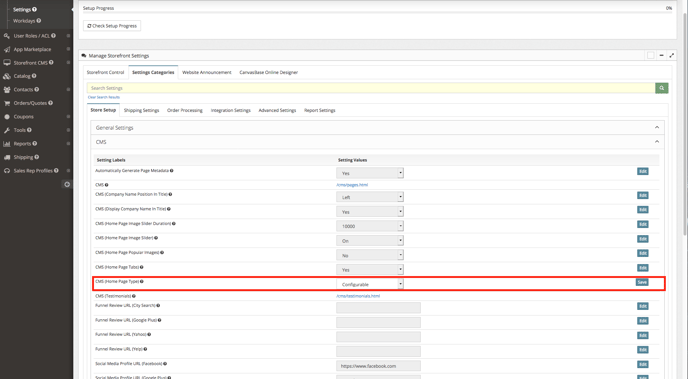
Step 1 ( Set CMS Home Page Type to Configurable) - Main Menu > Settings > Settings Categories > Store Set Up > CMS > Update CMS (Home Page Type) to "Configurable"
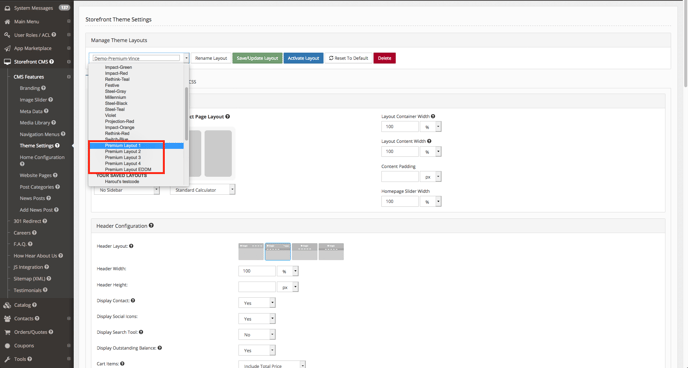
Step 2 ( Select a Premium Theme) - Storefront CMS > CMS Features > Theme Settings > Proceed to selecting a Premium Theme
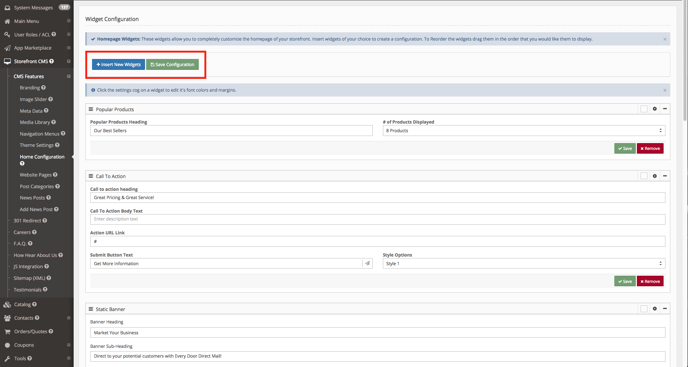
Step 3 ( Insert and Update Widgets) - Storefront CMS > CMS Features > Home Configuration > Once here you will be able to edit existing widgets or add or remove them as well.